


Finding a reliable free website builder can be challenging, as many free plans are simply designed to hook you into paid upgrades later. Often, these free options lock essential features behind paywalls, making your efforts feel wasted once you hit limitations like storage caps or intrusive ads.
To help you navigate this landscape, my team and I rigorously tested the top website builders to identify which ones genuinely allow you to create a functional, professional-looking site at no cost. We examined their free offerings, read the fine print, and verified their complete features to ensure you’re choosing a tool that won’t disappoint.
While you can indeed build a decent website with free plans, keep in mind that there are some trade-offs—such as limited storage, branding from the platform, or ads displayed on your site. To give you a full picture, we’ve also included some paid options offering generous free trials, letting you explore premium features risk-free for a limited time.
My top recommendation remains Wix, thanks to its unmatched design flexibility even on the free plan. Continue reading to discover which free website builder best suits your needs, or get started today with Wix.
Short on Time? These Are the Best Free Website Builders in 2025
What We Look For in The Best Free Website Builders
Many free builders promise the moon but often come with significant compromises like restricted storage, limited design options, or intrusive ads that can make your site look unprofessional. When selecting free options, I prioritized those that deliver enough functionality so you won’t feel forced to upgrade prematurely. Here’s what I focused on:
- Minimal or non-intrusive ads: I looked for sites with small banners or ads that don’t obstruct your content.
- Modern, customizable templates: Your website should look polished and contemporary without extensive editing.
- User-friendly interfaces: Ease of use is crucial—no point in choosing a builder that’s complicated or confusing.
- Design freedom: Drag-and-drop editors, versatile templates, and customizable color schemes that reflect your brand.
- Affordable upgrades: When you’re ready to grow, upgrading should be straightforward and budget-friendly.
Quick Look at Our Best Free Website Builders
- 2500+ designer-made, fully customizable templates
- Drag-and-drop editor with AI assistance
- Free apps via the Wix App Market
-
SEO setup tools included at no cost
-
Generous free plan with no feature restrictions
- Support via live chat and callbacks
-
500 MB storage and 1 GB bandwidth on free plan
-
Slight learning curve for absolute beginners
-
Mobile-responsive templates for any website type
- Simple editor for quick customization
- Free tools like Google Analytics
-
Built-in blogging features including post scheduling
-
Free plan includes basic business tools
- Multilingual live chat support
-
Guided setup process
-
Subdomains with random characters
-
50+ clean, straightforward templates
- Beginner-friendly editing
- Widgets for media, ratings, forms, and SEO
-
Unlimited storage on the free plan
-
Extensive knowledge base for web design
-
Large ads on free sites
- Limited customization options


Top Truly Free Website Builders
Only a handful of free builders allow you to build and publish a complete website without a credit card. These platforms offer flexible design tools, beginner-friendly editors, and essential features suitable for blogs, portfolios, or small business sites on a forever-free plan.
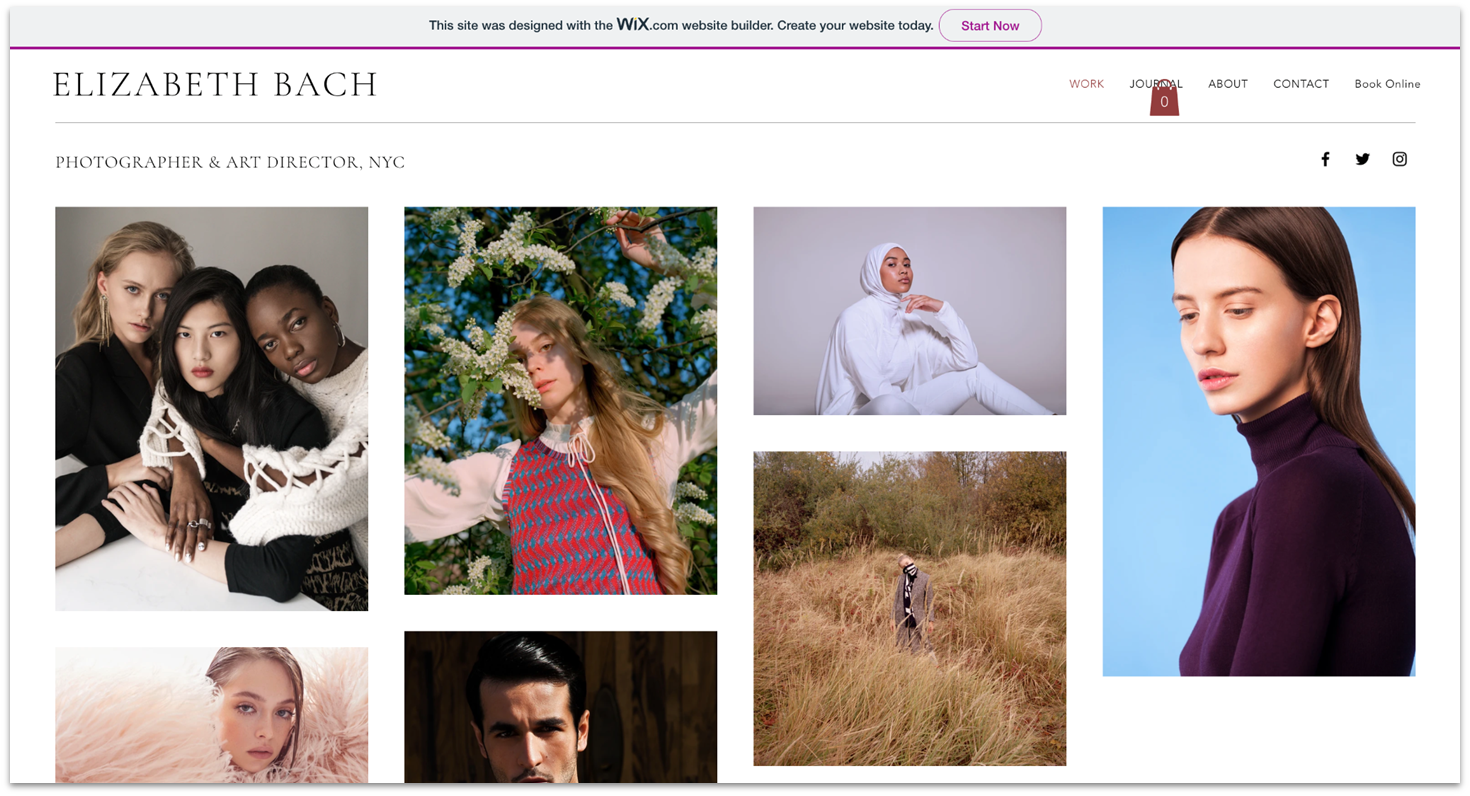

Wix: Industry Leader in Free Website Building
Wix has long been a leader, constantly improving its platform. It boasts one of the most feature-rich free plans available.
All 2500+ templates are free, not just a select few, and they’re highly customizable via Wix’s intuitive drag-and-drop editor. You can easily modify text, images, and layout to match your vision.
The free plan includes:
- AI website builder
- Free hosting
- 500 MB storage
- SEO and marketing tools
Note: The free plan displays Wix branding and limits you to a subdomain (e.g., username.wixsite.com/sitename). You won’t be able to connect a custom domain unless you upgrade.
While Wix’s extensive freedom makes designing a site more complex initially, most users can have a professional site up in a few hours.
Features:
- Complete drag-and-drop: Place elements anywhere on your page for maximum creative control.
- App Market: Over 800 apps, including free options for social media, forms, and marketing.
- Marketing tools: Email campaigns, social post creator, SEO checklist.
- Blogging: Full-featured blogging tools with SEO support and monetization options.
Learn more about Wix in our full review.
| Best For | Precise design control & professional layouts |
|—|—|
| Free Features | 2500+ templates, drag-and-drop, SEO tools, free apps, blogging |
| Free URL | username.wixsite.com/sitename |
| Storage/Bandwidth | 500 MB / 1 GB |
SITE123: Simplicity for Beginners
SITE123 is perfect for newcomers who want a straightforward, no-fuss experience. Its interface is clean, and it offers over 80 mobile-responsive templates suitable for blogs, restaurants, or events.
Key features:
- AI-driven website creation
- Basic blogging tools
- Contact and donation forms (free)
- Simple content editing
While it doesn’t offer full drag-and-drop freedom like Wix, adding images, texts, or pages is quick and easy. The free plan provides:
- 250 MB storage
- 250 MB bandwidth
- Free subdomain
Features:
- Easy content management
- Multiple website types (single page, multi-page)
- Built-in forms and social media integration
Check out our full SITE123 review.
| Best For | Beginners seeking simplicity |
|—|—|
| Free Features | Basic design, blogging, forms, business tools |
| Free URL | RandomName.site123.me |
| Storage/Bandwidth | 250 MB / 250 MB |
Webador: Fast Setup for One-Page Sites
Webador excels at quickly launching simple websites, especially one-page portfolios or landing pages. Its AI guides you through setup, generating a site based on your answers, which you can then customize.
Features include:
- Mobile-responsive templates
- Media sharing widgets
- SEO tools
- Social media integration
The free plan offers:
- Unlimited storage and bandwidth
- Customizable templates
- No online store capability on free plan
- Subdomain (sitename.webador.com)
A downsides are the larger banner ad at the bottom and the requirement for AI-generated templates before editing.
Read our Webador review for more.
| Best For | Simple, one-page sites |
|—|—|
| Free Features | Media widgets, SEO tools, social links |
| Free URL | sitename.webador.com |
| Storage/Bandwidth | Unlimited / Unlimited |
Affordable and Risk-Free Builders (Limited Free Trials)
While these platforms don’t offer permanent free plans, they provide free trials or starter plans that let you test their premium features without long-term commitments.
Squarespace: Stylish, Minimalist Design
Squarespace is renowned for sleek, professional templates. It offers a 14-day free trial with no credit card required, so you can explore its features risk-free.
Features include:
- Over 180 templates
- Custom domain for a year (with paid plans)
- Unlimited bandwidth
- Built-in e-commerce (on paid plans)
- Advanced marketing and analytics
Ideal if you want a sophisticated site with minimal effort. Plans start at $16/month after trial.
Hostinger Website Builder: Budget-Friendly & AI-Powered
Starting at just $2.99/month, Hostinger provides an easy drag-and-drop editor, AI tools (like logo and text generators), and a choice of dozens of templates.
It offers a 7-day free trial and a 30-day money-back guarantee.
IONOS: Cost-Effective with Business Features
IONOS focuses on small businesses, providing professional templates and a simple interface. No free plan, but plans start at $1/month with a 30-day money-back option.
It includes features like:
- Easy block editing
- Free professional email
- Support from dedicated reps
- SEO tools via RankingCoach
Learn more in our IONOS review.
Other Noteworthy Free Builders
These platforms didn’t make the top of the list but are still solid choices for specific needs.
- Elementor: Free WordPress plugin offering drag-and-drop site building. Limited features in the free version; full functionality requires paid upgrades.
- WordPress.com: Excellent for blogging and content-heavy sites, with a wide variety of themes and built-in tools, but limited customization in the free plan.
- Jimdo: Simple, professional designs suitable for small businesses, with free plans supporting up to five pages.
- Webnode: Easy to use, with mobile editing and Google AdSense, ideal for quick, straightforward sites.
- Strikingly: Best for one-page websites, portfolios, or landing pages; free plan limits you to a single page.
- Square Online: Quick setup for online stores; limited templates but functional for small e-commerce needs.
When to Consider Upgrading
A free website builder is perfect for personal projects, hobbies, or short-term events. However, as your site grows—requiring custom domains, removal of ads, increased storage, or advanced features—it’s time to consider paid plans.
Upgrading allows you to:
- Connect your own domain (like yoursite.com)
- Remove platform branding
- Access more storage and bandwidth
- Use e-commerce features and integrations
- Unlock advanced analytics and SEO tools
Visit what are the seven stages of designing a website for a deeper understanding of the website creation process.
Which Free Builder Is Right for You?
The best choice depends on your goals:
- Wix: For maximum design freedom and extensive templates.
- SITE123: For simplicity and quick setup.
- Webador: For fast, one-page sites with minimal fuss.
- WordPress.com: For content-rich blogs and websites.
- Jimdo: For small business sites with professional templates.
- Strikingly: For sleek one-page portfolios or landing pages.
- Square Online: For simple online stores with quick deployment.
Consider your needs, technical comfort level, and future growth plans to pick the best free builder.
FAQs
What is the best completely free website builder?
It depends on your needs. Wix offers broad customization and flexibility, ideal for those wanting full control. Site123 is perfect for beginners seeking ease of use. For blogging and content-heavy sites, WordPress.com is a solid choice.
Is Wix actually free?
Yes, Wix provides a free plan that enables you to build and publish a website without cost. Your site will display Wix branding, and you’ll have limited storage (500 MB) and bandwidth (1 GB). To remove branding and access custom domains, upgrades are necessary.
What’s the difference between a free trial and a free plan?
A free trial grants temporary access to premium features for a limited period, after which you need to upgrade. A free plan offers ongoing, though limited, access to basic features permanently.
Which is best for small businesses?
Wix remains the top choice for small businesses due to its comprehensive features, templates, and ease of use. SITE123 is also good for beginners, offering essential business tools like appointment scheduling.
Is Google Sites free?
Yes, Google Sites is free but offers limited design flexibility, SEO tools, and integrations. For more features, consider platforms like Webador.
Where can I get a free website and domain?
Platforms like Wix offer free subdomains (yourname.wixsite.com). For a custom domain (yourname.com), you’ll need to upgrade to a paid plan, which often includes a free domain for the first year.
Choosing the right free website builder depends on your specific goals and comfort with web design. Start with one that matches your skill level and future plans, and upgrade when your site needs to grow.