
Creating a web application from scratch can seem like a complex and overwhelming task, especially for beginners. However, with a structured approach and understanding of fundamental concepts, anyone can develop a fully functional web app. This guide aims to walk you through each step of the process, from initial idea to deployment and ongoing maintenance, empowering you to turn your vision into a live digital product. Whether you’re an aspiring developer or a seasoned entrepreneur, mastering these principles will help you craft user-friendly, scalable, and innovative web solutions. For those interested in leveraging advanced design tools, explore how to speed up your development process by designing interactive prototypes with UXPin Merge.
What is a Web Application?
A web application is a software program that runs inside a web browser, allowing users to interact with it over the internet. Unlike traditional desktop software, which requires installation on individual devices, web apps are accessible from any device with an internet connection. They are built using a combination of web technologies such as HTML, CSS, and JavaScript, which work together to create engaging user interfaces and dynamic functionalities.
Web apps offer several compelling advantages. They are inherently cross-platform compatible, meaning they work seamlessly across various devices and operating systems. They also provide automatic updates, ensuring users always access the latest features without manual downloads. Furthermore, their easy accessibility allows users to log in and use the app from anywhere, making them ideal for remote work, collaboration, and global reach. Understanding these core benefits can help you decide what type of web app best suits your project goals.
Types of Web Applications
Web applications can be classified based on their structure, behavior, and technology stack. Recognizing these categories will help you choose the most suitable approach for your project.

Single-Page vs Multi-Page Applications
Web apps generally fall into two architectural categories:
-
Multi-Page Applications (MPAs): These are traditional websites where each user action or navigation involves loading a new HTML page from the server. For example, e-commerce sites often use MPAs to organize different sections such as product pages, checkout, and user profiles. They are easier to develop but can result in slower user experiences due to full-page reloads.
-
Single-Page Applications (SPAs): These apps load a single HTML page initially and dynamically update content using JavaScript as users interact. SPAs, like Gmail or Facebook, offer smoother, app-like experiences by only fetching data when needed, reducing load times and server requests. Client-side routing manages navigation without reloading the entire page, providing a more seamless user experience.
Static, Dynamic, and Progressive Web Apps
Web apps can also be categorized based on their content and interaction levels:
-
Static Web Applications: Consist of fixed content that doesn’t change unless manually updated. They are simple and fast, ideal for informational sites or landing pages.
-
Dynamic Web Applications: Generate content on the server based on user input or real-time data. Examples include social media platforms or online banking systems, where content updates dynamically based on user activity.
-
Progressive Web Apps (PWAs): Combine the best features of static and dynamic apps, offering offline access, push notifications, and fast loading times. PWAs can be installed on devices like native apps and provide an engaging user experience, making them suitable for many modern web solutions.
Both SPAs and MPAs can incorporate static or dynamic elements and adopt PWA principles. The choice depends on your project’s specific requirements and desired user experience.
Examples of Popular Web Apps
Understanding real-world examples helps clarify what web apps can achieve.
Spotify Web Player

Spotify’s web interface provides a comprehensive music streaming experience accessible directly through browsers. Its interface features a navigation panel with sections like Home, Search, and Your Library. The main area displays personalized playlists, recommendations, and current tracks. Playback controls are conveniently placed at the bottom, complemented by album artwork, ensuring a visually appealing and intuitive user journey.
Google Drive
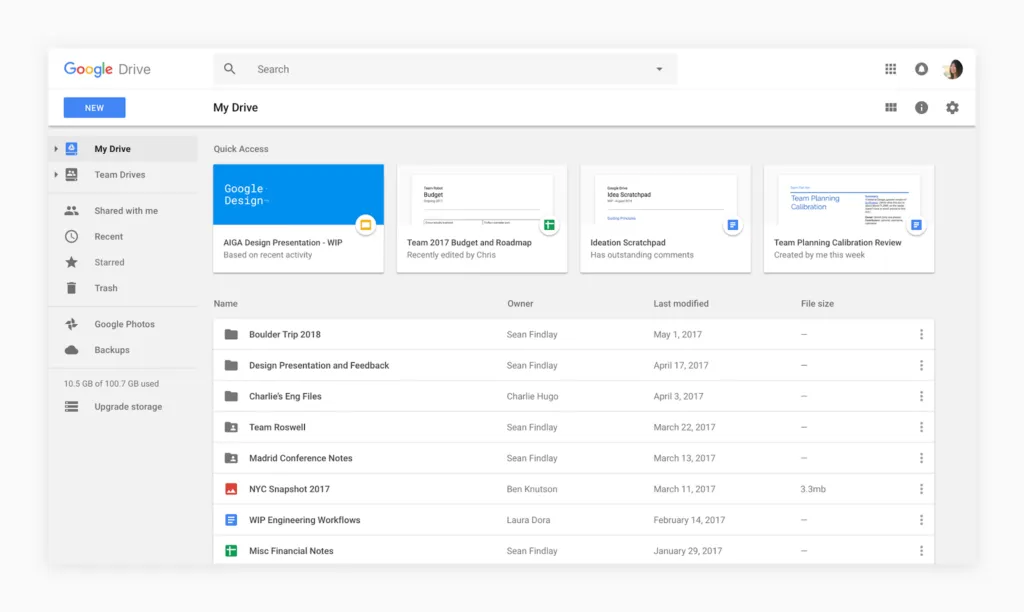
Google Drive exemplifies a cloud-based collaboration tool. Its clean interface includes a sidebar for easy navigation through folders and shared drives. The main workspace shows file structures, with options to preview or edit documents directly. Real-time collaboration features allow multiple users to comment and edit simultaneously, showcasing the power of dynamic web apps.
Amazon
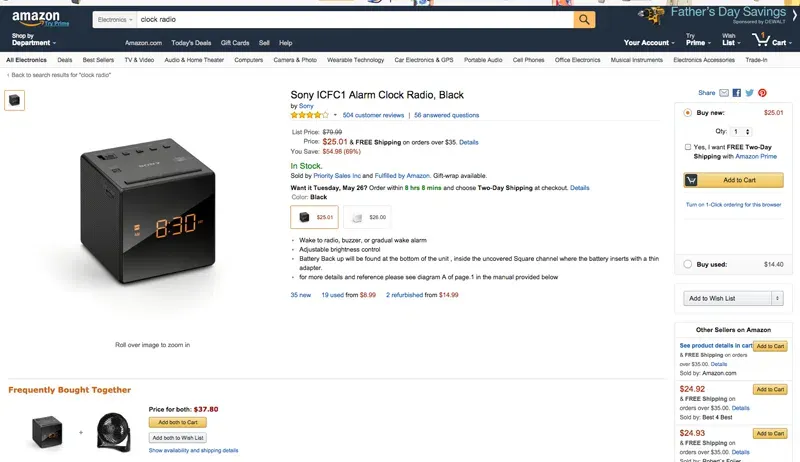
Amazon’s e-commerce platform offers a vast product catalog with personalized recommendations, deals, and streamlined navigation. Its persistent top menu, search bar, and quick access to user accounts exemplify an optimized shopping experience. Such apps demonstrate how complex, feature-rich platforms can be built with scalable web technologies.
The Foundations of Web Application Development
Before diving into coding, it’s essential to understand the two main pillars of web development:
Front-End Development
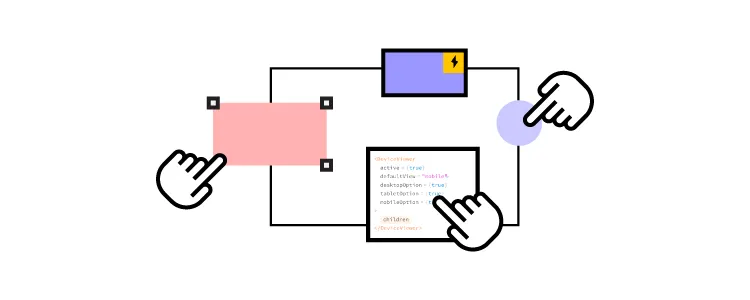
Focuses on creating the visual and interactive parts of your web app. Using HTML for structure, CSS for styling, and JavaScript for interactivity, front-end development ensures that users can navigate and utilize your application smoothly. Frameworks like React, Angular, or Vue.js can expedite development by providing reusable components and state management tools.
Back-End Development
Handles the server-side logic, database management, and data processing. Languages such as Python, Ruby, PHP, or Node.js are common choices. The back-end ensures data security, user authentication, and efficient handling of business logic. It also connects your app to databases like MySQL, PostgreSQL, or MongoDB, enabling persistent data storage.
Step-by-Step Guide to Building a Web App
1. Research Your Web App Idea
Begin with thorough research. Understand your target audience, analyze competitors, and identify market gaps. Conduct SWOT analyses to evaluate strengths, weaknesses, opportunities, and threats. Focus on creating a unique value proposition that differentiates your app from existing solutions. Avoid simply replicating current apps; instead, aim to offer a simplified or more advanced experience. For detailed insights into market positioning, see this comprehensive guide.
2. Plan Your Project
Outline your development process by creating a roadmap that includes milestones, deadlines, and resource allocation. Effective planning reduces risks and keeps your project on track. Break down tasks into manageable phases, from wireframing to deployment.
3. Define Your Minimum Viable Product (MVP)
Focus on building an MVP to test your core idea with real users. This minimal version should include only essential features that solve the main problem. Developing an MVP allows you to gather feedback early, iterate quickly, and avoid unnecessary complexity. To clarify your MVP scope, define the primary issue you’re addressing, list essential features, and write user stories that describe how real users will interact with your app. This approach aligns with modern agile development principles.
4. Design the User Interface
Create wireframes or prototypes to visualize your app’s layout and flow. Prioritize user experience by designing intuitive navigation, maintaining visual consistency, and ensuring responsiveness across devices. Incorporate feedback through user testing and refine your design iteratively. Consider principles like clear visual hierarchy, meaningful feedback, and accessible error messages to improve usability.
5. Develop the Front-End
Translate your designs into code using HTML, CSS, and JavaScript. Leverage frameworks like React or Vue.js to streamline development and enhance functionality. Focus on creating a responsive, accessible interface that adapts seamlessly to desktops, tablets, and smartphones.
6. Build the Back-End
Set up servers using cloud services such as AWS or Google Cloud. Develop APIs and server logic to handle user requests, data processing, and business rules. Connect your app to a database for data storage and retrieval. Prioritize security measures like authentication and data encryption to protect user information.
7. Test and Debug
Conduct thorough testing at multiple stages. Use unit tests to validate individual components, integration tests for overall functionality, and user acceptance testing to gather real-world feedback. Debug issues systematically, ensuring your web app is stable, secure, and user-friendly.
8. Deploy and Launch
Choose a hosting platform suited to your needs, such as Heroku or Netlify. Register a domain name, configure DNS settings, and deploy your app. Monitor performance metrics and optimize loading speeds regularly. Consider implementing features like mastering toast notifications to improve user engagement.
9. Maintain and Update
Post-launch, continuous maintenance is vital. Monitor security vulnerabilities, collect user feedback, and fix bugs promptly. Regularly add new features based on user insights and market trends to keep your app relevant and engaging.
Final Thoughts
Building a web app from scratch is an ongoing journey of learning and adaptation. Embrace new technologies, stay updated with industry standards, and be open to experimentation. With perseverance and strategic planning, you can develop a robust, user-centric web application that meets your users’ needs and stands out in a competitive landscape. Start your development process today, and remember to leverage powerful tools like UXPin Merge to accelerate your design and prototyping workflows.