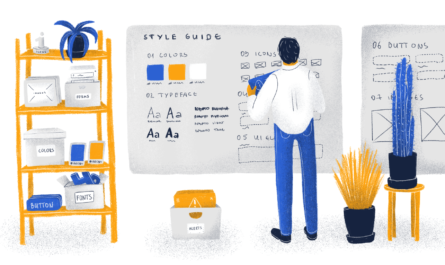
Creating a cohesive and visually appealing website involves more than just choosing attractive colors and fonts. A well-structured web design style guide serves as the cornerstone of brand consistency, ensuring that every element aligns with your brand identity across all pages and platforms. This guide not only streamlines the design process but also helps prevent inconsistencies that can confuse visitors or dilute your brand message. Whether you’re updating an existing website or building one from scratch, understanding how to develop a thorough style guide is essential for maintaining a professional and unified digital presence.
Developing an effective style guide involves a detailed understanding of your brand’s visual and verbal language. It acts as a single source of truth for your team, guiding designers, developers, and content creators alike. As web design continues to evolve—driven by trends like the latest innovations in future web design directions—having a clear framework ensures your site remains modern and relevant. Additionally, with advancements like serverless architecture, your website can be optimized for performance and scalability, all while staying visually consistent through your style rules. Incorporating these elements into your style guide can significantly enhance your website’s overall user experience and brand perception.
This article will walk you through the key steps involved in creating a comprehensive style guide, including practical examples and best practices. From defining your color palette to establishing guidelines for imagery and component states, each step is designed to help you craft a resource that elevates your brand and simplifies ongoing maintenance. Remember, a well-maintained style guide is a living document—one that should evolve alongside your brand and the latest web standards. For further inspiration, exploring cutting-edge web design solutions can provide fresh ideas to incorporate into your own framework.
Table of Contents
- Style Guide Template
- What Is a Web Design Style Guide?
- Why Should You Create a Style Guide?
- The Benefits of Creating a Style Guide
- How to Create a Web Design Style Guide
- Step 1: Study Your Brand
- Step 2: Determine Your Logo Usage Rules
- Step 3: Define Your Color Palette
- Step 4: Create Rules for Typography
- Step 5: Set Layout and Spacing Rules
- Step 6: Consider Icon Style
- Step 7: Define Guidelines for Illustrations and Imagery
- Step 8: Outline Stylistic Considerations
- Step 9: Develop Your Brand’s Voice
- Step 10: Include Specific Dos and Don’ts
- Step 11: Don’t Forget About Downloadable Assets
Style Guide Template
Starting with a structured template can accelerate your process. Our customizable style guide outline includes essential sections such as:
- Logo placement and variations
- Typography styles
- Color schemes with technical values
- Button designs
- Iconography styles
These templates can serve as a foundation, allowing you to tailor them to match your brand’s unique identity. They help ensure that all visual elements are used consistently, which is vital for brand recognition and user trust.
What Is a Web Design Style Guide?
A style guide is a centralized document that consolidates all your website’s visual and stylistic decisions. It details your color schemes, typography, spacing, icon usage, imagery style, and other visual elements—creating a unified language for your brand online.
Style guide vs. Design System
While often confused, a style guide is typically a simpler, more focused document that highlights core visual elements. In contrast, a design system encompasses a comprehensive set of rules, components, and patterns, defining every UI element and its states. Think of a style guide as the foundation—outlining the “what” and “why”—whereas a design system provides the detailed “how” for implementation. Building a style guide first can pave the way for developing a full design system later.
Why Should You Create a Style Guide?
When multiple team members or agencies work on your website, a style guide ensures everyone adheres to the same visual standards. This common reference point preserves your brand’s integrity and helps streamline the development process, saving time and reducing errors.
Without a clear style guide, inconsistencies may creep in—different color shades, font choices, or button styles—that can weaken your brand perception. Having a documented set of rules minimizes these issues and facilitates future updates or redesigns.
The Benefits of Creating a Style Guide
A comprehensive style guide offers numerous advantages:
- Consistency: Ensures uniformity across all pages and components, reinforcing brand identity.
- Efficiency: Speeds up the design and development process by providing ready-made standards.
- Scalability: Eases the addition of new pages or features without sacrificing visual harmony.
- Future-proofing: Acts as a reference for making future updates aligned with your brand values.
- Brand Recognition: Promotes familiarity and trust among your audience by maintaining a cohesive look.
- Asset Management: Simplifies sharing brand assets such as logos and images with partners or clients, as seen in optimizing web experiences with design systems.
How to Create a Web Design Style Guide (In 11 Steps)
Embarking on the journey of developing a style guide involves several critical stages. Here’s a step-by-step approach to ensure your guide is comprehensive and practical.
Step 1: Study Your Brand
Begin by immersing yourself in your brand’s core values, mission, and target audience. Creating a mood board can help visualize your brand’s personality—whether it’s professional, playful, innovative, or minimalist. Incorporate assets that reflect your identity and translate these into visual elements. This foundation will inform all subsequent decisions and help you craft a consistent look that resonates with your audience.
Step 2: Determine Your Logo Usage Rules
Your logo is a key visual asset. Define clear guidelines for its application, including size, spacing, placement, and acceptable backgrounds. Collaborate with your graphic designer to document existing standards or establish new ones, ensuring your logo always appears professional and recognizable. Include rules for third-party use, such as partner websites or promotional materials, to prevent misuse.
Step 3: Define Your Color Palette
Colors shape perceptions and emotional responses. Select a primary palette of up to three core colors, complemented by secondary, tertiary, and neutral tones. For each, specify visual samples and technical values like RGB, HEX, and CMYK codes to ensure consistency across screens and print. A solid grasp of color theory can help you choose harmonious combinations that reflect your brand personality.
Step 4: Create Rules for Typography
Typography is a fundamental aspect of usability and aesthetics. Document your font choices, including font families, sizes, weights, and line heights for headings (H1-H6), body text, buttons, and form elements. Establish a hierarchy that guides users naturally through your content. Use consistent units like pixels (px) and avoid overly intermediate sizes to maintain clarity, as recommended in web accessibility best practices.
Step 5: Set Layout and Spacing Rules
Define grid systems, margins, padding, and spacing conventions to create a cohesive structure. These rules will influence how content is arranged on your pages and ensure visual balance. Developing basic templates for key layouts can streamline future page creation and maintain uniformity across your website.
Step 6: Consider Icon Style
Icons communicate actions and information quickly. Decide whether you’ll use a pre-made library such as Font Awesome or custom-designed icons. Clarify style choices—filled vs. outline, monochrome vs. colored—and specify preferred sizes and spacing. Consistent iconography enhances usability and reinforces your visual identity.
Step 7: Define Guidelines for Illustrations and Imagery
Custom illustrations can set your brand apart. Establish style parameters, including color schemes, line weights, and thematic elements. Set rules for stock photos—such as tone, composition, and authenticity—to ensure visual harmony. Consider editing preferences like filters, brightness, and contrast to maintain consistency. Remember to align imagery with your brand message and audience preferences.
Step 8: Outline Stylistic Considerations for Main Website Components
Detail how core elements like buttons, navigation menus, forms, notifications, and cards should look and behave. Specify different states—hover, active, focus—and include style rules for various component types. Referencing established component libraries like Google’s Material Design can help fill gaps and ensure best practices.
Step 9: Develop Your Brand’s Voice
Your site’s tone and messaging matter as much as its appearance. Collaborate with content strategists to define the language style—formal, friendly, authoritative—that aligns with your brand identity. Document guidelines for headlines, CTAs, and microcopy, ensuring a consistent voice that resonates with your visitors.
Step 10: Include Specific Dos and Don’ts
Visual examples clarify your rules. Use images or annotations to illustrate correct and incorrect usages of logos, colors, buttons, and other elements. Clear visual dos and don’ts prevent misinterpretations and make your style guide more accessible and actionable.
Step 11: Don’t Forget About Downloadable Assets
Complement your style guide with downloadable resources such as logo files, brand kits, and templates. These assets facilitate consistent branding across various platforms and are invaluable for onboarding new team members or collaborators. Well-organized assets support a seamless workflow and reinforce your brand’s professionalism.
Find Inspiration for Your Style Guide
Studying existing style guides can spark ideas and showcase best practices. Explore collections on platforms like Style Guides.io or Design Systems Repo. Analyzing how top brands structure their guides can inform your approach and help you craft a distinctive, effective resource.
Keep Your Style Guide Up-to-Date
Web design is an ever-evolving field. Trends shift, new technologies emerge, and your brand may evolve over time. Regularly revisiting and updating your style guide ensures it remains relevant and reflects the latest standards. For instance, tools like Elementor’s Global Site Settings facilitate maintaining consistency across your site by centralizing design controls. This flexibility is crucial for adapting to future design developments and ensuring your website stays fresh and aligned with your brand.
Maintain Brand Consistency with a Living Document
A detailed style guide acts as the backbone of your website’s visual identity. It helps keep the design coherent, especially when multiple contributors are involved. By establishing clear standards and regularly updating them, you foster a professional image that builds trust and recognition among your audience. Remember, a style guide is not a static document but a dynamic tool that grows with your brand, ensuring your website remains impactful and aligned with industry innovations.