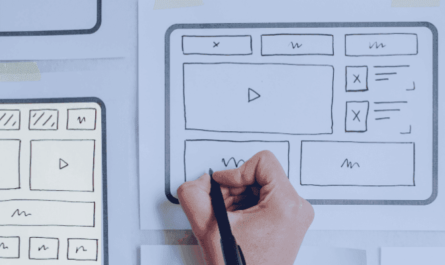
Creating a website that is accessible to all users is more than just a regulatory requirement—it’s a fundamental aspect of responsible and effective web development. When designing digital spaces, considering accessibility from the outset ensures that your content, products, and services are reachable and usable by everyone, regardless of physical or cognitive abilities. Embracing inclusive design principles not only broadens your audience but also enhances overall user satisfaction and brand reputation. This guide explores the importance of accessibility in web design, practical barriers and solutions, and best practices to make your website truly inclusive.
What is Website Accessibility?
Website accessibility involves developing digital content that can be used efficiently by individuals with diverse disabilities, such as visual, auditory, motor, or cognitive impairments. Achieving this requires conscious design and implementation of features that facilitate ease of interaction. For instance, providing descriptive alt text for images helps screen readers convey visual information to users with visual impairments. Ensuring sufficient color contrast makes content readable for those with visual challenges, while keyboard navigation options allow users with motor disabilities to interact without relying on a mouse. Establishing clear, logical layouts benefits users with cognitive impairments by reducing confusion. Prioritizing these elements fosters an internet environment that welcomes everyone equally and promotes digital inclusion. For more detailed standards, refer to the Web Content Accessibility Guidelines (WCAG).
Why Website Accessibility Matters
Moral and Ethical Imperatives
Every individual deserves equal access to online information and services. The internet has become a vital component of daily life, supporting education, employment, social connections, and commerce. Excluding those with disabilities from full participation is a moral oversight that undermines the principles of fairness and dignity. Designing accessible websites upholds the core values of equality and inclusion, affirming that everyone has the right to access digital content without barriers. It’s an acknowledgment of our shared responsibility to create a respectful and equitable online environment.
Legal Requirements
Legal compliance, such as adherence to the Americans with Disabilities Act (ADA) in the United States, mandates that websites be accessible. Non-compliance can lead to costly lawsuits and reputational damage. Ensuring your site aligns with these legal standards demonstrates your commitment to inclusivity. The WCAG provides internationally recognized guidelines that help organizations meet legal and ethical obligations, covering perceivability, operability, understandability, and robustness of web content.
Reaching a Broader Audience
According to the World Health Organization, over 1.3 billion people worldwide experience some form of disability—approximately 16% of the global population. Making your website accessible unlocks this significant market segment, expanding your potential customer base and fostering growth. An inclusive digital presence is not just ethically responsible, but also a smart business strategy.
SEO Advantages and Enhanced Reputation
Accessibility practices align with best SEO practices, such as using meaningful headings, alt text, and descriptive links. These elements improve search engine rankings, increasing organic traffic. Additionally, demonstrating a commitment to accessibility boosts your brand image, fostering trust and customer loyalty among socially conscious consumers. When your website is user-friendly for all, it naturally offers a better experience for everyone.
Improving Usability for All Users
Features designed for accessibility often enhance the overall user experience. Captions, for example, benefit not only those with hearing impairments but also users in noisy settings or watching videos silently. Clear navigation, adjustable fonts, and responsive layouts contribute to a more intuitive and enjoyable browsing experience for everyone, regardless of their abilities or devices.
Common Accessibility Barriers and How to Address Them
Understanding typical barriers allows developers and designers to implement effective solutions.
Visual Impairments
Low contrast between text and background can hinder readability, especially for users with visual impairments. Small fonts pose additional challenges for users with low vision. Missing alt text for images prevents screen readers from conveying visual information, reducing content comprehension.
To mitigate these issues, ensure high contrast ratios between text and backgrounds, utilizing tools like the WebAIM Contrast Checker. Use relative units such as ems or percentages for font sizes to allow user adjustments without layout issues. Always provide descriptive alt text that accurately conveys the purpose of images, enabling screen reader users to understand visual content effectively.
Auditory Impairments
Users with hearing difficulties cannot access audio-only content unless captions or transcripts are provided. Relying solely on sound cues excludes a significant portion of potential users.
Include captions and transcripts for all audio and video media. Additionally, supplement audio alerts with visual indicators, ensuring that critical information reaches users with auditory limitations.
Motor Impairments
Individuals with limited dexterity may find small buttons or links difficult to activate. Challenges with precise mouse movements can hinder navigation, especially on complex sites.
Design larger clickable areas, ensure all interactive elements are accessible via keyboard, and incorporate clear focus indicators. Providing alternative input options, like voice commands, further enhances accessibility for motor-impaired users.
Cognitive Impairments
Complex designs, inconsistent navigation, and flashing elements can be overwhelming or confusing for users with cognitive challenges.
Implement simple, clean layouts with clear headings and logically organized content. Use straightforward language, break content into manageable sections, and avoid blinking or flashing animations that can cause seizures or distraction.
Additional Considerations
Ensure your website loads quickly and functions efficiently on slower connections and older devices. Employ responsive design techniques to guarantee usability across various screen sizes and orientations. Testing on multiple devices and browsers helps identify compatibility issues and improves overall accessibility.
Best Practices for Building Accessible Websites
Adopt proven strategies to enhance usability and inclusivity:
- Use clear, concise language free of jargon to ensure broad understanding.
- Organize content with descriptive headings and lists for easy navigation.
- Create descriptive, meaningful link texts that clearly state their purpose.
- Maintain sufficient color contrast to meet WCAG standards, aiding users with visual impairments.
- Choose legible fonts and sizes, allowing users to adjust text without layout disruption.
- Keep layouts uncluttered, minimizing distractions.
- Use semantic HTML tags like
<header>,<nav>, and<main>to communicate structure effectively. - Make forms accessible by associating labels with inputs and providing clear instructions and error messages.
- Enable keyboard navigation and ensure focus indicators are visible, assisting users who rely on keyboards.
How to Effectively Test Website Accessibility
A combination of automated tools, manual evaluation, and user feedback ensures thorough accessibility verification.
Automated Testing
Tools like WAVE or Axe can quickly identify common issues such as missing alt attributes or poor color contrast. However, they cannot assess usability or the user experience comprehensively.
Manual Evaluation
Manual testing involves navigating your site with keyboard controls and screen readers like NVDA or JAWS. This process uncovers usability problems that automation can’t detect, such as logical navigation flow and content clarity.
User Testing
Engaging real users with disabilities provides authentic insights into your website’s accessibility. Their feedback highlights practical challenges and areas for improvement that technical assessments might overlook. Incorporate their experiences to refine your site’s design and functionality.
Designing for Accessibility from the Outset
Integrate accessibility considerations into every phase of your project:
- Embed accessibility into your design process, addressing potential barriers early.
- Educate team members about accessibility standards and best practices.
- Use comprehensive checklists based on guidelines like WCAG to guide development and review stages.
- Prioritize inclusivity to create a seamless experience for all users and avoid costly retrofitting later.
Elevate Your Web Presence with Expert Accessibility Solutions
Embracing accessibility is both a moral obligation and a strategic advantage. By implementing best practices—such as using clear language, organized content, and semantic HTML—you ensure your website is welcoming and functional for everyone. Incorporating thorough testing and designing from the start further guarantees an inclusive experience. For businesses looking to enhance their digital impact, partnering with experts like Roger West can facilitate the integration of accessibility into your website development and management processes. Discover how tailored web strategies can help your organization reach a broader audience and foster an inclusive digital environment by exploring ways to customize your web development for maximum effect.