Web animations are a powerful tool to bring websites to life, transforming static pages into interactive, engaging experiences. When used thoughtfully, they guide users seamlessly through content, highlight important features, and add personality to your design. In this comprehensive guide, we’ll explore the best practices for creating compelling animations, showcase inspiring examples, and provide tips for implementation that balances aesthetics with usability.
Animations aren’t just about visual flair—they serve a crucial role in user experience (UX) by making navigation intuitive and feedback clear. From micro-interactions like button hover states to full-page transitions, each animated element can significantly enhance how users perceive and interact with your site. Whether you are prototyping with tools like Justinmind or implementing animations directly with CSS and JavaScript, understanding the core principles ensures your animations are purposeful and effective.
Let’s delve into the fundamental principles that underpin successful web animations, explore real-world examples, and learn how to incorporate them into your projects to create seamless, memorable user journeys.
Principles of Effective Web Animations
Designing impactful animations begins with clarity of purpose. Every movement should serve a specific function—guiding attention, confirming actions, or improving navigation. For instance, a subtle hover effect on a button not only signals interactivity but also encourages engagement. Animations that lack purpose risk cluttering the interface and distracting users, so focus on making each motion meaningful.
Simplicity remains key. Overly elaborate effects can overwhelm users, detracting from the content rather than enhancing it. Maintaining a clean, minimal approach with gentle transitions and fades helps keep the focus on the core message. For example, gentle fade-ins for content sections create a smooth reading experience without feeling intrusive.
Timing and easing are crucial for natural-feeling interactions. Easing functions—such as ease-in, ease-out, and ease-in-out—simulate real-world physics, making movements feel more organic. For example, a menu sliding into view with ease-in-out provides a more polished feel than a sudden jump. Consistent use of animation styles across your website fosters a cohesive aesthetic, reinforcing brand identity and usability.
Accessibility must also be a priority. Some users are sensitive to motion or may disable animations for comfort reasons. Providing options to reduce or turn off animations ensures inclusivity and a better experience for all visitors.
Subtlety and restraint are often more effective than flashy effects. Not every element needs to animate; focus on key areas where motion can provide clarity or emphasis. Animating only the most important transitions or highlights prevents overload and maintains a professional appearance.
Crafting Engaging Micro-Interactions
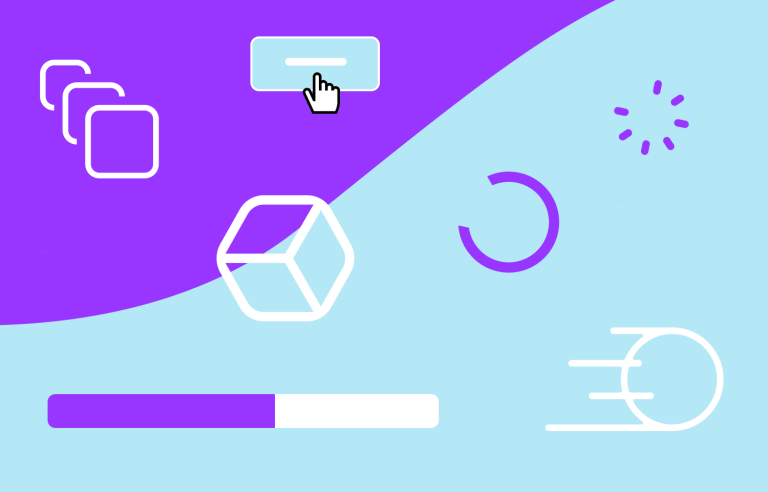
Micro-interactions are small, purposeful animations that respond to user actions—like toggling between views or clicking navigation buttons. These interactions provide immediate feedback, making the interface feel responsive and alive. For example, a toggle button that smoothly switches from list to grid view instantly communicates the change, enhancing usability.
Loading indicators, such as spinners or progress bars, keep users engaged during wait times. A progress bar in a multi-step form visually reassures users of their progress, reducing frustration. Similarly, subtle loading animations on sign-up forms or search results inform users that their request is processing, maintaining trust and patience.
Page transitions contribute to a fluid browsing experience. Instead of abrupt jumps, animated transitions—like sliding or fading—guide users smoothly from one section to another. Examples include seamless page changes that feel effortless, creating a sense of cohesion and professionalism.
Scrolling animations, including parallax and layered effects, add depth and dynamism to long pages. As users scroll, elements can animate into view or move at different speeds, creating immersive experiences. Parallax effects, for instance, make background layers move slower than foreground content, enhancing visual interest without distraction.
Using Animations to Enhance Visual Appeal and User Guidance
Animations should complement your design’s personality while improving functionality. Subtle hover effects on buttons or cards, such as elevating or lighting up elements, make interactions clear without overwhelming the senses. Animated icons or illustrations can inject personality and make interfaces more memorable.
For example, animated 3D illustrations or motion graphics can tell a story or explain complex concepts engagingly. These visuals not only captivate attention but also serve a functional purpose—guiding users through processes or emphasizing key messages. Purpose-driven animations, like animated logos or icons, enhance brand recognition and user engagement.
Brands like Stryve or Stripe employ thoughtful motion to guide users through their content, making complex processes feel straightforward. Apple’s website uses sleek animations to showcase product features seamlessly, elevating the overall aesthetic and user experience.
Choosing Between CSS and JavaScript for Animations
Both CSS/SVG and JavaScript have roles in web animation. CSS is ideal for simple, lightweight effects like hover states, fades, and transitions, providing smooth performance with minimal code. JavaScript, on the other hand, excels at complex, event-driven animations that respond to user interactions—such as scroll-triggered effects or intricate sequences.
JavaScript enables dynamic animations based on user input, making interfaces feel more interactive and personalized. For example, animations that respond to scrolling or clicking can be tailored precisely, creating a more engaging experience.
Animated icons, logos, or illustrations add personality and clarity, whether animated with CSS or JavaScript, enhancing the visual storytelling of your site.
Prototyping and Testing Your Animations
Tools like Justinmind facilitate creating interactive prototypes, allowing you to test animations in simulated real-world scenarios before deployment. This ensures that animations perform well across devices and do not introduce performance issues.
Always review your animations on various devices—desktop, tablet, and mobile—to ensure smooth operation everywhere. Proper testing helps identify performance bottlenecks or usability issues, ensuring that your animations enhance the overall user experience rather than hinder it.
When implementing animations, consider the sequence and timing—staggered delays or coordinated movements can create more polished, professional interactions. For example, animating elements in a sequence guides user attention naturally, making interfaces feel cohesive.
Final Thoughts
Thoughtfully crafted animations elevate your website from mere visuals to an interactive experience. They guide users intuitively, provide feedback, and reinforce your brand personality. Whether through micro-interactions, page transitions, or scroll effects, the goal is to create a seamless, engaging journey that feels both natural and delightful.
By applying these best practices—clarity, simplicity, purposefulness, and accessibility—you can harness the full potential of web animations. Remember, the most impactful effects are often subtle, supporting the content rather than overshadowing it. For an in-depth look at advanced UI design strategies, consider exploring this resource on card design, or learn how to succeed as a web agency owner here. To understand the importance of wireframing in your process, check out this guide. For newer tools and trends, review the best UI design software options for 2026.
Harnessing the power of well-designed animations can transform your digital presence, making your websites more engaging, accessible, and memorable.