Creating an engaging and effective website involves understanding and leveraging key design components that enhance usability, aesthetics, and user experience. This comprehensive guide explores the fundamental building blocks of web design, illustrating best practices with real-world examples and offering insights to inspire your projects. Whether you’re developing a sleek landing page or a complex e-commerce platform, mastering these elements will elevate your site’s quality and impact.
When designing a website, selecting the right elements and implementing them thoughtfully can significantly influence visitor engagement and conversion rates. From call-to-action buttons to informative breadcrumbs, each component plays a vital role in guiding users and reinforcing your brand identity. It’s also crucial to consider how these elements work together harmoniously, creating a cohesive and intuitive user journey.
Before diving into specific design features, it’s helpful to familiarize yourself with authoritative resources that can inform your decision-making. For instance, understanding the nuances of choosing a web design agency can prevent costly missteps; a detailed guide on this topic offers valuable tips and considerations. Additionally, exploring top-rated SaaS design agencies can provide inspiration and benchmarks for quality standards in the industry. For further guidance, reviewing exemplary web design cases can spark ideas for your own projects.
Call-to-Action Buttons: Design and Implementation Strategies
Call-to-action (CTA) buttons are among the most effective tools to prompt user interaction and drive conversions. An optimized CTA should be visually prominent, clearly communicate its purpose, and motivate users to take specific actions such as signing up, purchasing, or learning more. Techniques include using contrasting colors, compelling copy, and strategic placement within your layout.
Effective CTA design also involves testing different styles and wording to determine what resonates best with your audience. For example, buttons that use action-oriented phrases like “Get Started Today” or “Discover More” tend to perform better than generic labels. Incorporating microinteractions and hover effects can further enhance engagement.
When integrating CTAs, consider their context within your overall content strategy. They should complement your messaging and seamlessly guide users toward desired outcomes. For additional insights into creating high-converting buttons, consult resources on user experience design and conversion optimization.
Image Caption Design: Enhancing Visual Content
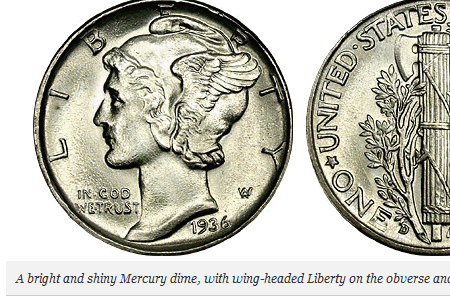
Image captions serve as an often-overlooked element that can add depth and style to your website. While traditionally functional—providing credits or brief descriptions—they also offer opportunities to reinforce your brand personality and aesthetic. Well-designed captions can make your visual content more engaging and memorable.
There are generally two primary styles: a minimalist approach with clean, sans-serif fonts in neutral colors, and a more graphic style that uses vibrant colors, overlay effects, or interactive elements like mouse-over reveals. Minimalist captions work well for news sites and portfolios, while more graphic styles suit creative agencies and design portfolios.
Implementing effective image captions involves thoughtful typography, placement, and interaction design. For example, overlay captions that appear on hover can create a sleek, modern look while maintaining focus on the visual content. To explore various styles, examining design portfolios and trend showcases can be highly instructive.
Breadcrumbs: Navigational Aids for Better User Experience
Breadcrumb navigation enhances usability on complex websites by displaying the user’s location within the site hierarchy. This secondary navigation scheme allows users to easily backtrack to previous pages or higher-level sections, reducing frustration and improving findability.
Effective breadcrumb design should be clear, unobtrusive, and consistent across your site. Common formats include horizontal trails with arrows or separators, matching your overall aesthetic. Breadcrumbs are especially useful for e-commerce sites, blogs, and large portals with multiple categories.
Incorporating breadcrumbs not only improves navigation but also provides contextual cues that help users understand their current position in the website structure. For best results, adapt breadcrumb styling to match your site’s visual language and test their visibility across devices.
Designing the Search Box: Usability and Placement
The search box is a critical element on content-heavy websites, offering users a quick way to locate specific information. Its effectiveness hinges on visibility, simplicity, and functionality. A well-placed search bar on the homepage or header ensures users can access it effortlessly.
Design considerations include using recognizable icons, placeholder text like “Search…”, and ensuring the input field is large enough for comfortable typing. Advanced features, such as autocomplete suggestions or filtering options, can improve the search experience further.
As websites evolve and grow, maintaining a coherent information architecture becomes challenging. An intuitive search system helps mitigate this complexity, guiding users efficiently to their desired content. For inspiration, look into best practices from leading websites and usability studies.
“Read More” and “Continue Reading” Links: Engagement Drivers
Read more and continue reading links play a pivotal role in content presentation by encouraging users to explore additional details. Strategically placed, these links can increase time spent on your site and improve content discoverability.
Designing effective read-more links involves clear placement, compelling copy, and visual cues such as arrows or contrasting colors. They should feel natural within the context of your content summaries or headlines, enticing curiosity without overwhelming the user.
Creative variations in link design—such as animated effects or hover states—can draw attention subtly. When used thoughtfully, these elements contribute to a seamless reading experience and can be tested for optimal performance.
Shopping Carts and E-Commerce Elements
In online retail, shopping cart icons and related UI components are essential for guiding users through the purchasing process. Proper use of familiar icons, clear visual cues, and minimal friction in the interface can significantly boost sales.
Design approaches include making cart icons prominent, displaying item counts, and providing quick access to checkout pages. Creative ideas like animated cart additions or progress indicators can enhance usability and delight users.
Understanding the nuances of cart design is vital, especially when considering cross-channel consistency and mobile responsiveness. Reviewing innovative shopping cart implementations can provide inspiration for your e-commerce platform.
Progress Trackers: Multi-Step Processes Made Clear
Progress trackers help users navigate multi-step procedures such as checkout, registration, or onboarding. Clear visual indicators of progress reduce anxiety and improve completion rates.
Effective progress trackers should be simple, intuitive, and visually distinct. Common designs include numbered steps, progress bars, or step indicators with icons. They should also update dynamically to reflect user actions.
Incorporating progress trackers into your design ensures users are always aware of their current position, what remains, and how close they are to completion. This transparency fosters trust and enhances overall user satisfaction.
Creating “Coming Soon” Pages: Building Anticipation
A well-crafted “coming soon” page serves as an effective teaser, generating buzz while your full website or product is under development. Key elements include a compelling value proposition, an eye-catching design, and a call to action like signing up for updates.
Research shows that memorable and viral “coming soon” pages can build anticipation and collect valuable user data. Incorporating countdown timers, sneak peeks, or early access invitations can further increase engagement.
Balancing simplicity with creativity is crucial; avoid generic “under construction” graphics. Instead, tailor your page to reflect your brand personality and set clear expectations for visitors.
Interactive Maps and Location Features
Maps are integral to modern web design, providing spatial context and enhancing user interaction. Interactive maps can include features like zooming, markers, and real-time data overlays.
Designing engaging maps involves balancing visual clarity with functionality. Consider using custom icons, clustering markers, and integrating geolocation features to personalize the experience.
As mapping technology advances, opportunities for creativity expand. For inspiration, explore innovative map applications that prioritize usability while delivering engaging visual storytelling.
Price Tables: Clarity and Comparison
Pricing tables are fundamental for communicating product and service options clearly. They should be simple, well-organized, and highlight key differences to aid user decision-making.
Best practices include emphasizing the most popular or recommended plan, structuring features logically, and minimizing clutter. Use concise language and visual cues like checkmarks or icons to enhance readability.
A thoughtfully designed pricing table reduces confusion and helps visitors select the most suitable plan efficiently. For more insights, review successful examples from leading SaaS providers and e-commerce sites.
Search Results: Optimizing Findability
The search results page is crucial for helping users locate content quickly. Effective design includes clear headings, relevant snippets, filters, and sorting options.
Prioritize displaying the most relevant results at the top, and consider incorporating visual elements like thumbnails to aid recognition. User feedback and analytics can inform continuous improvements.
A well-designed search experience directly impacts user satisfaction and conversion rates, especially on content-rich websites.
Quotes and Testimonials: Highlighting Key Messages
Quotes and pull quotes draw attention to important insights, testimonials, or key messages within your content. Visually distinctive styling, such as larger fonts or contrasting backgrounds, can make quotes stand out.
Using quotes strategically enhances credibility and emphasizes your main points. Dynamic or animated quotes can add visual interest, but should be used sparingly to maintain professionalism.
Effective quote design provides focus anchors, guiding users through your content and reinforcing your message.
Date Stamps and Calendars: Supporting Time-Based Content
Small but significant details like date stamps and calendars add context and credibility to your website. They are especially relevant for blogs, news portals, event listings, and project timelines.
Creative approaches include stylized icons, tear-off calendar designs, or interactive date pickers. These elements should complement your overall aesthetic and improve user perception of content freshness.
Consistent, visually appealing date indicators help users understand content recency and plan accordingly.
Showcasing Case Studies in Design Portfolios
Case studies are powerful tools for designers to demonstrate their problem-solving skills and process. They provide depth beyond simple project images, showcasing challenges, solutions, and results.
A well-structured case study includes project overview, goals, your approach, tools used, and outcomes. Including visuals, sketches, or prototypes adds transparency and credibility.
Examining successful portfolio case studies can inspire ways to present your work compellingly, enhancing client trust and engagement.
“Meet The Team” Pages: Personalizing Your Brand
Team pages foster trust by introducing the people behind your brand. Including photos, bios, and roles humanizes your business and creates a personal connection.
Effective team pages are visually appealing, concise, and highlight individual expertise. They can also include fun facts or behind-the-scenes content to build rapport.
Adding a personal touch to your site reassures visitors and differentiates your brand from competitors.
About Me Pages: Engaging Personal Introductions
An “about me” page offers a chance to connect personally with your audience. It should reflect your personality, expertise, and passion, creating authenticity.
Most successful pages go beyond basic bios, sharing stories, values, and what motivates you. Incorporate visuals or multimedia to make the content more engaging.
Treat your about page as a branding opportunity; a well-crafted profile can turn visitors into clients or followers.
Maintenance Pages: Communicating Downtime Professionally
Every website requires maintenance at times. A dedicated maintenance page informs visitors of temporary downtime while maintaining a positive brand image.
Design tips include clear messaging, branding consistency, and perhaps a newsletter signup or estimated return time. Creative approaches, such as humorous messages or engaging graphics, can soften the inconvenience.
Effective maintenance pages keep visitors informed and encourage them to return, turning a potential frustration into a branding opportunity.
Defensive Web Design: Minimizing User Errors
Defensive design anticipates user mistakes and provides safeguards to prevent frustration. This includes input validation, helpful error messages, and easy recovery options.
Designing for error tolerance improves user satisfaction and reduces abandonment. For example, highlighting invalid form fields or offering suggestions when a typo is detected enhances usability.
By considering common pitfalls and designing contingencies, you create a resilient website that accommodates all users, regardless of skill level.
404 Error Pages: Turning Mistakes Into Opportunities
404 pages should do more than just inform users that a page is missing. Creative and helpful 404 pages can redirect users, suggest alternative content, or inject humor, turning a potential dead-end into an engaging experience.
Effective 404 pages communicate clearly, provide navigation options, and reflect your brand personality. Including search functionality and links to popular pages helps users recover seamlessly.
Designing memorable 404 pages enhances user experience and demonstrates your attention to detail.
Reloaded 404 Error Pages: Inspiration and Creativity
Recent collections of 404 error page examples highlight innovative approaches that combine functionality and creativity. From humorous animations to interactive elements, these pages serve as inspiration for your own designs.
A well-designed 404 page not only maintains visitor engagement but can also reinforce branding and showcase your creativity. Use these examples as a starting point to craft your own memorable error pages.
Your Own 404 Error Pages: Creativity and Branding
Encourage yourself to craft personalized 404 pages that reflect your brand voice and style. Unique, fun, or helpful pages can leave a lasting impression and improve overall site perception.
Gather ideas from successful examples and adapt them to your project. Remember, a thoughtfully designed error page can turn a user’s frustration into a positive brand interaction.
By carefully selecting and implementing these core web design elements, you can create a website that is not only visually appealing but also highly functional and user-friendly. To ensure you’re making informed decisions, consider consulting authoritative resources or industry benchmarks. For example, understanding how to choose the right web design partner can be pivotal; check out this detailed guide on what to consider before hiring a web design agency. Additionally, exploring top-tier SaaS design firms can provide valuable inspiration, as seen in this compilation of leading SaaS design agencies to watch in 2025. To see these principles in action, review some of the best web design examples for inspiration.