Web applications have become integral to our digital lives, blending aesthetics with functionality to deliver seamless user experiences. Staying abreast of modern design trends can inspire developers and designers alike, highlighting best practices and innovative approaches. In this article, we explore ten outstanding web application designs that exemplify excellence in usability, creativity, and visual appeal, serving as valuable sources of inspiration for your own projects.
What Is Web Application Design?
Designing a web application is a crucial phase in the development process, focusing on creating an engaging and intuitive interface that aligns with the overall functionality. It involves a comprehensive approach that considers not only how the app looks but also how users interact with it, ensuring a smooth and satisfying experience.
The design process encompasses multiple elements, including user interface (UI) design—what users see and touch—usability (UX), content organization, and graphic aesthetics. While this overview emphasizes UI and UX, an effective web app integrates all these components harmoniously to meet user needs and expectations.
What is UI in Web Application?
User Interface (UI) refers to the visual and interactive elements that facilitate user engagement with the application. It includes buttons, menus, color schemes, typography, and layout—everything users interact with directly. A well-crafted UI guides users effortlessly through tasks, reducing confusion and enhancing satisfaction.
What is UX in Web Application?
User Experience (UX) focuses on how users perceive and feel about the application during their interaction. It questions whether the app is easy to navigate, responsive, and fulfilling in meeting their goals. A positive UX is characterized by intuitive workflows, minimal friction, and an overall sense of efficiency, making users more likely to return.
How to Design a Web Application?
Getting started with web app design can be straightforward, even without extensive coding expertise. Low-code development platforms and templates enable rapid prototyping and deployment, allowing you to focus on core functionalities and user research. Understanding what your application aims to achieve and how users will interact with it is paramount.
Prioritize defining clear objectives, analyzing competitors, selecting suitable tools, and gathering user feedback. For instance, exploring resources on the costs involved in custom website creation can help you budget effectively and plan your project accordingly. Remember, visual elements like color schemes and layout are vital, but the primary focus should always be on how well the app helps users accomplish their tasks.
Here’s a quick checklist to ensure your web application design is effective:
- Establish clear goals — Understand your users’ needs and define the scope.
- Analyze existing solutions — Learn from competitors and market leaders.
- Choose the right tools — Platforms like Budibase can streamline development.
- Gather user insights — Conduct testing and incorporate feedback early in the process.
For more detailed guidance, consult comprehensive resources on web app development and design stages.
Top 10 Exemplary Web Application Designs
The following selections are curated based on their aesthetic appeal, user-friendliness, and innovative features. These examples showcase diverse use-cases—from productivity tools to analytics platforms—and serve as benchmarks for modern web application design.
10. Carbon
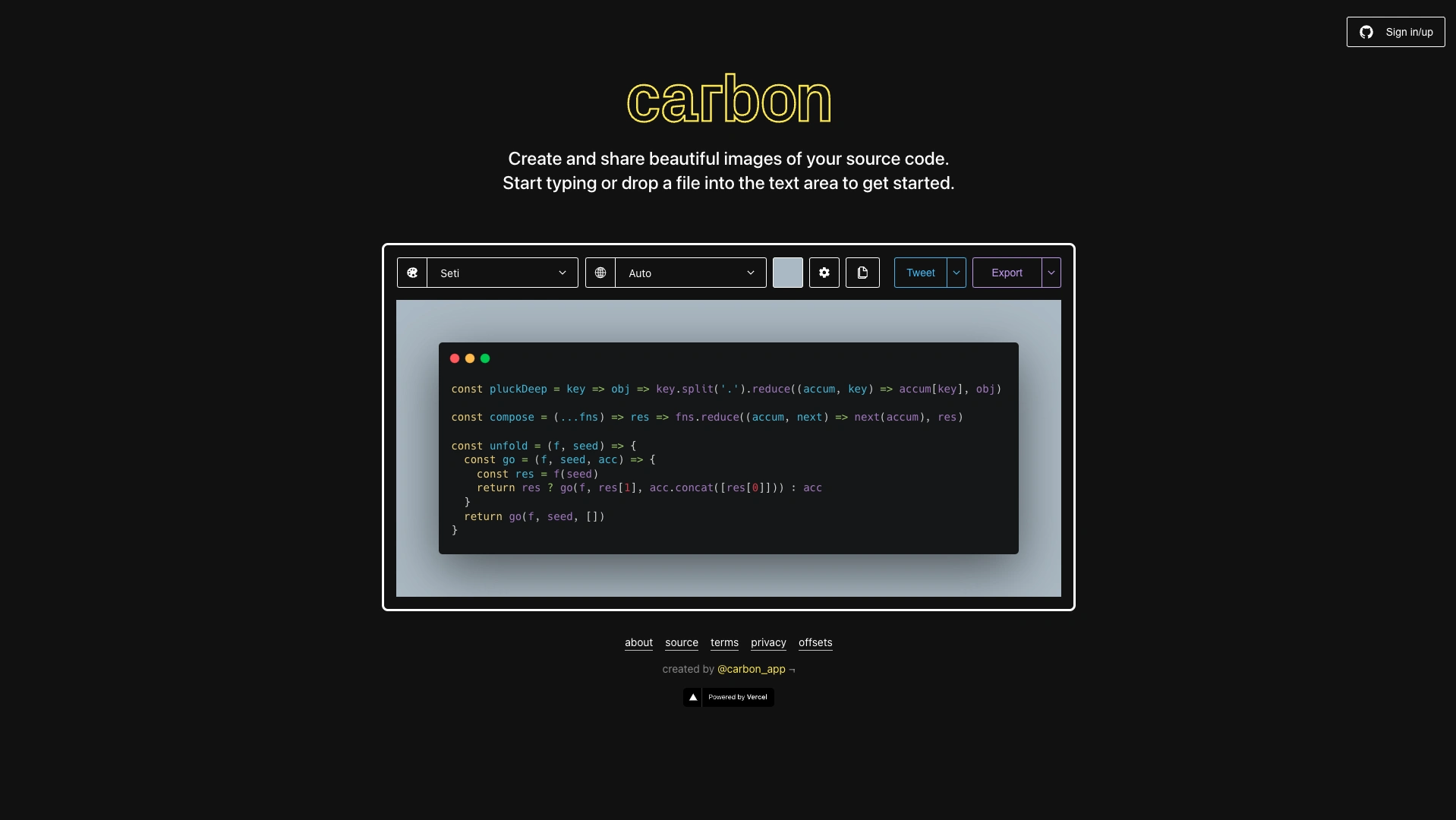
Carbon exemplifies a minimalistic yet highly functional tool that allows developers to generate stylized, shareable images of code snippets effortlessly. Its sleek interface focuses on simplicity, offering customization options such as themes, syntax highlighting languages, and border colors—all accessible with just a few clicks. Designed for efficiency, Carbon caters to developers from organizations like Google and Microsoft, demonstrating that lightweight, purpose-driven interfaces can be both elegant and widely adopted.
Design excellence — ❤️❤️
User experience — 😻😻😻😻
Creativity — 🌟🌟
9. Miro
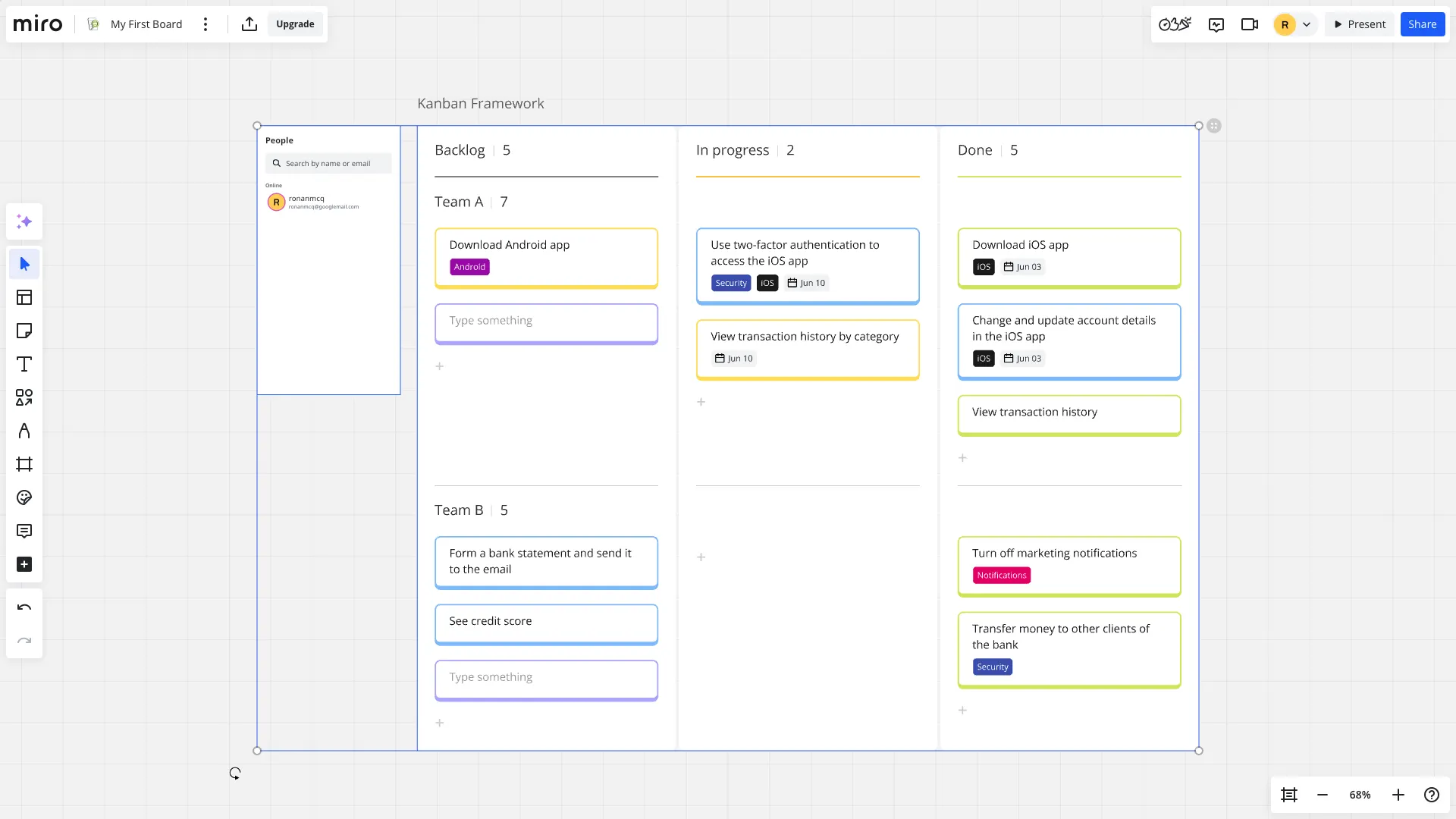
Miro stands out as a collaborative visual workspace that combines robust functionality with a modern aesthetic. It enables teams to create, edit, and share ideas on digital boards in real time, supporting workflows like mind mapping, project planning, and brainstorming. Its intuitive interface uses strategic color coding and signposting—such as color-coded cursors—to highlight active users, fostering seamless teamwork. Miro’s well-balanced design proves that feature-rich platforms can maintain clarity and ease of use.
Design excellence — ❤️❤️❤️❤️
User experience — 😻😻😻
Creativity — 🌟🌟
8. PostHog
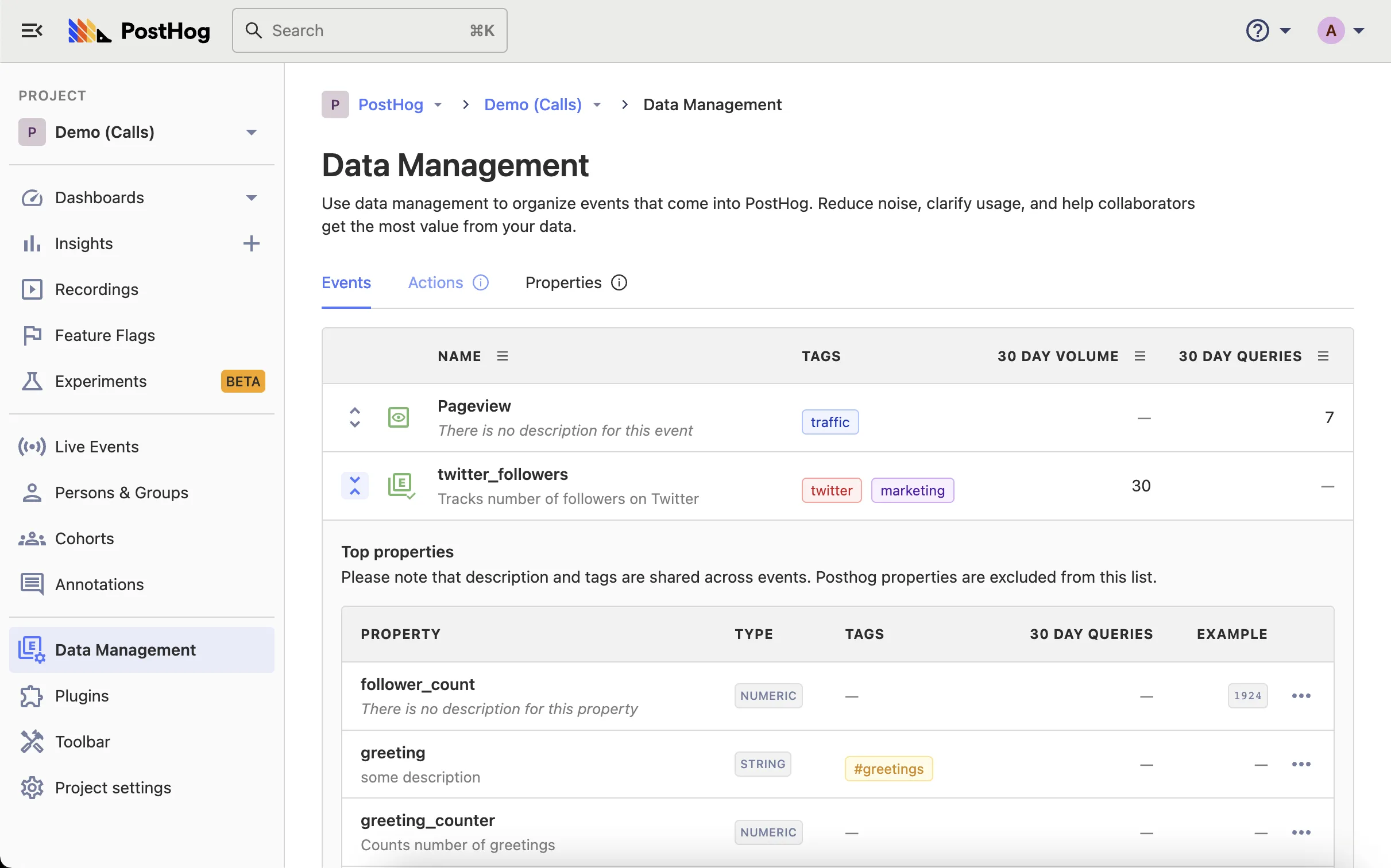
PostHog offers a highly adaptable analytics platform with a focus on clear information architecture. Its logical sidebar navigation guides users smoothly through complex data analysis tasks. The platform’s customizable dashboards and reporting tools empower even those without data expertise to create impactful visualizations. Its thoughtful design ensures that vital features are accessible, making data-driven decision-making straightforward and efficient.
Design excellence — ❤️❤️❤️❤️❤️
User experience — 😻😻😻
Creativity — 🌟
7. Zapier
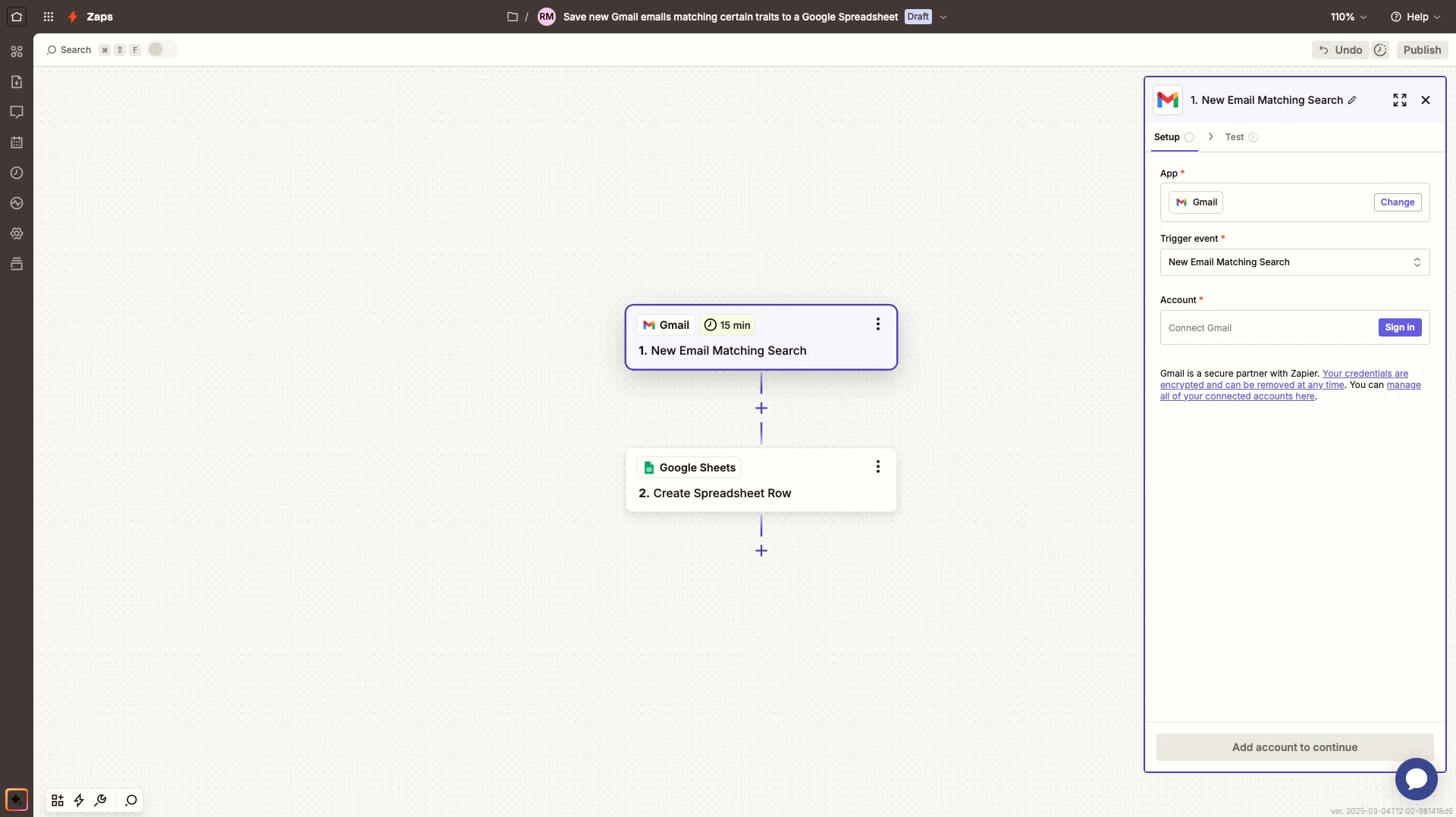
Zapier simplifies automation by offering an intuitive flowchart interface that enables users to set up complex workflows without coding. Its onboarding process employs clear labeling and helpful tooltips, guiding users through the setup of integrations with ease. Recognizing actions through recognizable icons and logos enhances quick understanding, embodying the principle that recognition beats recall—a hallmark of excellent web app design.
Design excellence — ❤️❤️❤️❤️
User experience — 😻😻😻
Creativity — 🌟🌟
6. Canva
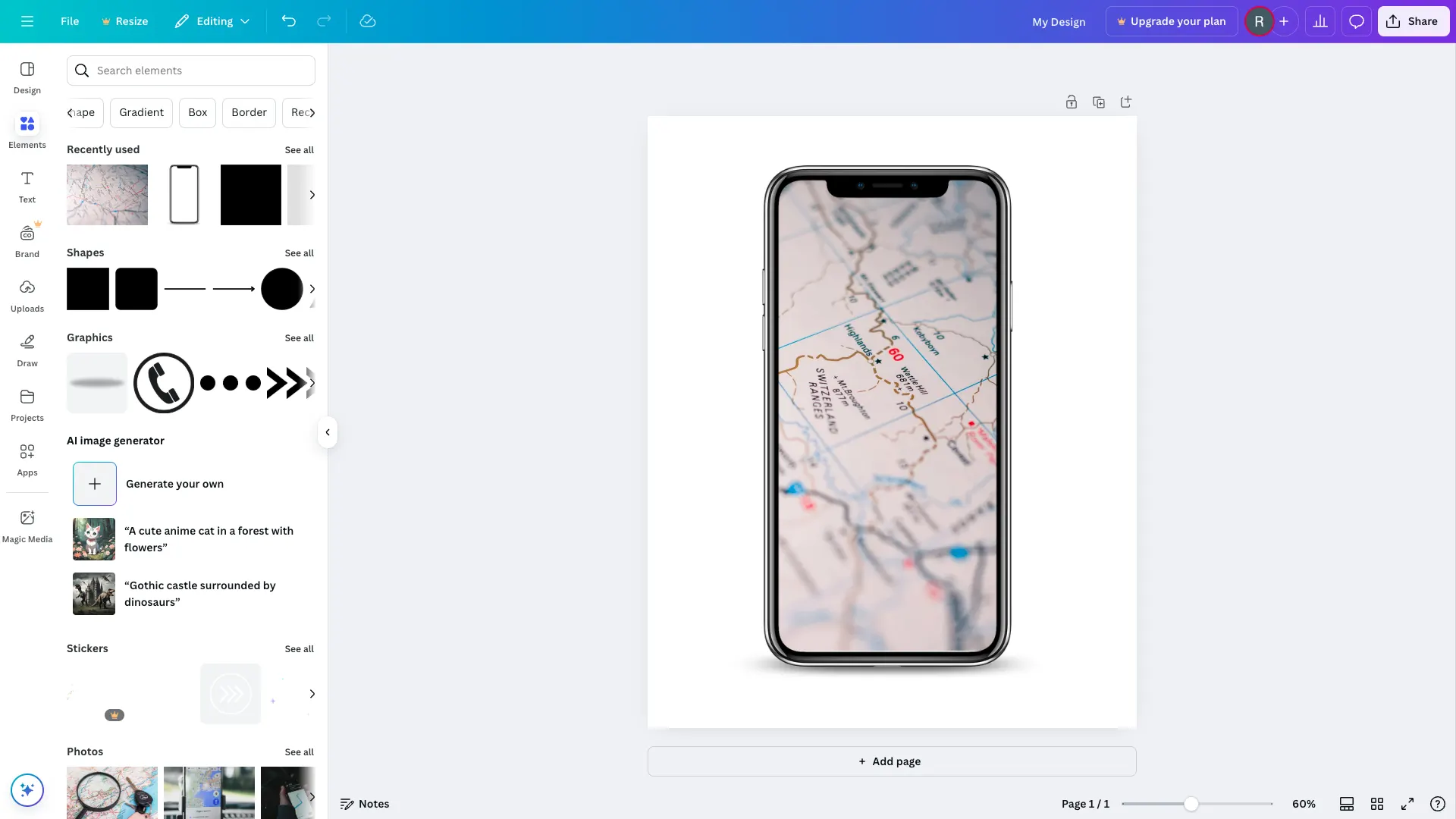
Canva revolutionizes graphic design by offering an accessible, visually appealing platform with a distinctive soft color palette and curved lines. Its large call-to-action buttons and clear typography make complex tasks like recoloring or repositioning elements straightforward. By balancing advanced capabilities with an intuitive interface, Canva appeals to both novices and experienced designers, quickly establishing itself as a go-to resource for digital assets.
Design excellence — ❤️❤️
User experience — 😻😻😻😻
Creativity — 🌟🌟
5. Intercom

Intercom’s messaging platform has undergone multiple design updates, with the latest version receiving widespread praise for its clarity and efficiency. Its streamlined layout and simplified navigation reduce clutter, making daily use more pleasant. By prioritizing a calm, organized interface, Intercom enhances user productivity and engagement, exemplifying how thoughtful design can improve complex communication tools.
Design excellence — ❤️❤️❤️
User experience — 😻😻😻😻
Creativity — 🌟🌟
4. Buffer

Buffer has long been a leader in social media management, and its recent redesign reflects a focus on usability and visual clarity. The platform employs a primary top navigation bar complemented by a secondary side panel, enabling effortless movement between features. Its generous use of whitespace and consistent branding through colors create a professional yet inviting environment, making scheduling and analytics straightforward and enjoyable.
Design excellence — ❤️❤️❤️
User experience — 😻😻😻😻
Creativity — 🌟🌟🌟
3. Notion

Notion’s minimalistic interface provides a blank canvas that encourages creativity without distraction. Its performance has significantly improved after a complete rebuild, now supporting over a million users worldwide. The clever use of emojis and a clean aesthetic offers a playful yet professional environment for note-taking, project management, and collaboration—showcasing how simplicity and smart design choices foster user engagement.
Design excellence — ❤️❤️❤️❤️
User experience — 😻😻😻
Creativity — 🌟🌟🌟🌟🌟
2. Netlify

Netlify simplifies hosting and serverless backend deployment for static websites, transforming what was once a complex process into an intuitive experience. Its clean, structured layout, clear explanations, and elegant navigation make managing sites accessible even for beginners. The platform’s thoughtful design fosters confidence, making the deployment process feel seamless and efficient.
Design excellence — ❤️❤️❤️❤️❤️
User experience — 😻😻😻😻😻
Creativity — 🌟🌟🌟
1. Mailchimp

Since its inception in 2009, Mailchimp has evolved into a comprehensive marketing platform trusted by millions. Its design emphasizes consistency through a unified visual language—using a recognizable logo, harmonious color schemes, and clear typography. The latest interface balances playfulness with professionalism, incorporating expressive fonts and engaging illustrations. Its focus on user-centric UX—through rigorous testing and a straightforward layout—makes it a joy to use and an inspiration for web app designers everywhere.
Design excellence — ❤️❤️❤️❤️❤️
User experience — 😻😻😻😻😻
Creativity — 🌟🌟🌟🌟🌟
We hope this showcase sparks your creativity and guides your approach to designing modern web applications. As new innovations emerge, we will keep updating this list. If you believe certain designs deserve to be featured, reach out to us on social media and share your insights.