


Effective communication within an application is crucial for delivering a seamless user experience. Among various notification methods, toast messages stand out as a simple yet powerful tool for providing quick feedback without disrupting the user’s workflow. These unobtrusive pop-up messages appear briefly on the screen, conveying essential information such as success confirmations, errors, or status updates. Their strategic use can significantly improve usability, making interactions feel smoother and more intuitive. Understanding how to implement and optimize toast notifications is vital for developers aiming to create polished, user-friendly applications. For insights into designing engaging interfaces, consider exploring web design journey strategies, which include effective notification placement.
What Are Toast Messages?
Toast messages are small, transient notifications that appear temporarily within a user interface to deliver brief feedback about an action or event. Unlike modal dialogs or alerts that demand user interaction, toast notifications are designed to be non-intrusive and self-dismissing. Typically positioned at the top or bottom of the screen, they remain visible for a few seconds before fading away automatically. This quick display allows users to stay focused on their tasks while still receiving relevant updates.
These messages are particularly effective for confirming actions, such as successfully saving data, sending a message, or completing a download. They also serve to inform users of ongoing processes or errors without interrupting the workflow. Since toast notifications do not generate sound or appear in notification centers, they maintain a clean interface, only drawing attention when necessary. Modern platforms like Android and iOS natively support toast messages, and web frameworks such as react-native facilitate their integration. They are versatile, capable of conveying information like status updates, error alerts, or real-time events, often using color cues—green for success, red for errors—to enhance clarity.
An Example
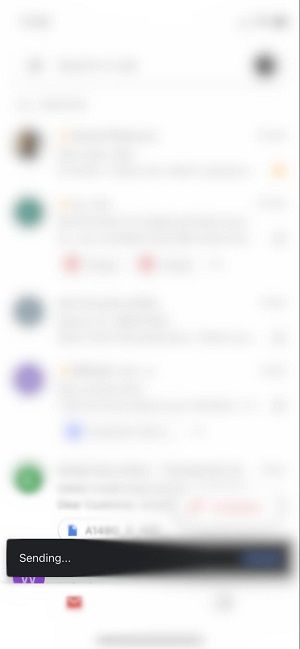
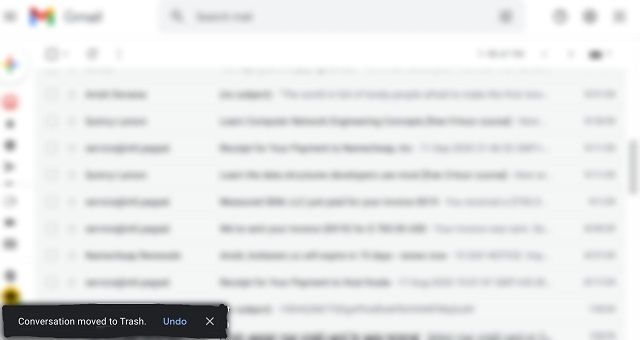
Consider Gmail, a widely used email service that employs toast messages extensively. When you send an email or perform an action like archiving or deleting a message, a small notification appears briefly at the bottom of the screen, such as “Message sent” or “Conversation moved to Trash.” These messages confirm the success of your actions without forcing you to dismiss them or pause your workflow. Gmail even offers limited interaction within toasts, like an “UNDO” button, allowing users to revert actions easily. This seamless integration of brief notifications helps maintain a smooth user experience. For visual context, see the sample Gmail toast notifications below:

Similarly, when deleting an email, a toast may appear with an option to undo the deletion, providing immediate feedback and control:

How To Use Toast Messages
Implementing toast notifications varies depending on the platform and development environment. In Android development, for example, the process involves creating a toast object using the makeText() method, which requires specifying the application context, message content, and display duration. Once created, calling show() displays the notification. This approach is straightforward and supported in both Kotlin and Java, the primary languages for Android apps.
Here’s how to generate a toast in Kotlin:
kotlin

val text = "Example toast message."

val duration = Toast.LENGTH_SHORT

val toast = Toast.makeText(applicationContext, text, duration)

toast.show()
And in Java:
java

Context context = getApplicationContext();

CharSequence text = "Example toast message.";

int duration = Toast.LENGTH_SHORT;

Toast toast = Toast.makeText(context, text, duration);

toast.show();
For brevity, you can combine these steps into a single line, which works in both languages:
java

Toast.makeText(context, text, duration).show()
Developers should consider alternative methods like snackbars or dialogs for more complex or instructional messages. These provide richer interactions and are often more suitable for detailed information. Web frameworks like react-native also support toast-like notifications, making it easier to implement consistent messaging across platforms.
To learn more about creating engaging web interfaces, visit mastering the web design journey from concept to launch, which covers notification placement and user engagement strategies.
Accessibility Considerations for Toast Messages
Ensuring that toast notifications are accessible to all users, including those with visual or motor impairments, is essential. Design considerations include maintaining high contrast between the message text and background, using legible font sizes, and avoiding placement over interactive or important interface elements. Proper implementation supports screen readers by announcing toast messages clearly, allowing users relying on assistive technologies to stay informed about application events.
Timing is also critical—toast messages should stay visible long enough for users to read them but not so long as to cause distraction. Providing options to manually dismiss toasts or include a close button enhances control and convenience. Additionally, limiting the number of simultaneous toast notifications prevents overwhelming the user, ensuring that only critical messages are displayed prominently.
Following accessibility best practices makes toast notifications a truly inclusive feature, delivering quick updates to every user. For more detailed guidance, developers can explore official accessibility resources and frameworks.
Wrapping Up
Toast messages serve as an efficient way to communicate brief, important information without interrupting user activities. When implemented thoughtfully, they can enhance the overall usability of an application, providing immediate feedback and reassurance. Managing multiple toasts involves prioritization and timing to prevent clutter and ensure clarity. Since native support is most robust on Android, developers can leverage simple code snippets to integrate toast notifications seamlessly.
However, because toast messages disappear after a few seconds, users may miss vital information if not captured properly. To address this, some applications implement an inbox or log feature that archives messages for later review. Tools like this inbox solution can help incorporate persistent messaging, giving users access to historical notifications across platforms.
Effective use of toast messages involves placing them where they are noticeable but not disruptive, keeping content concise, and limiting the number of active notifications. When used correctly, they significantly improve communication and user satisfaction within your application.