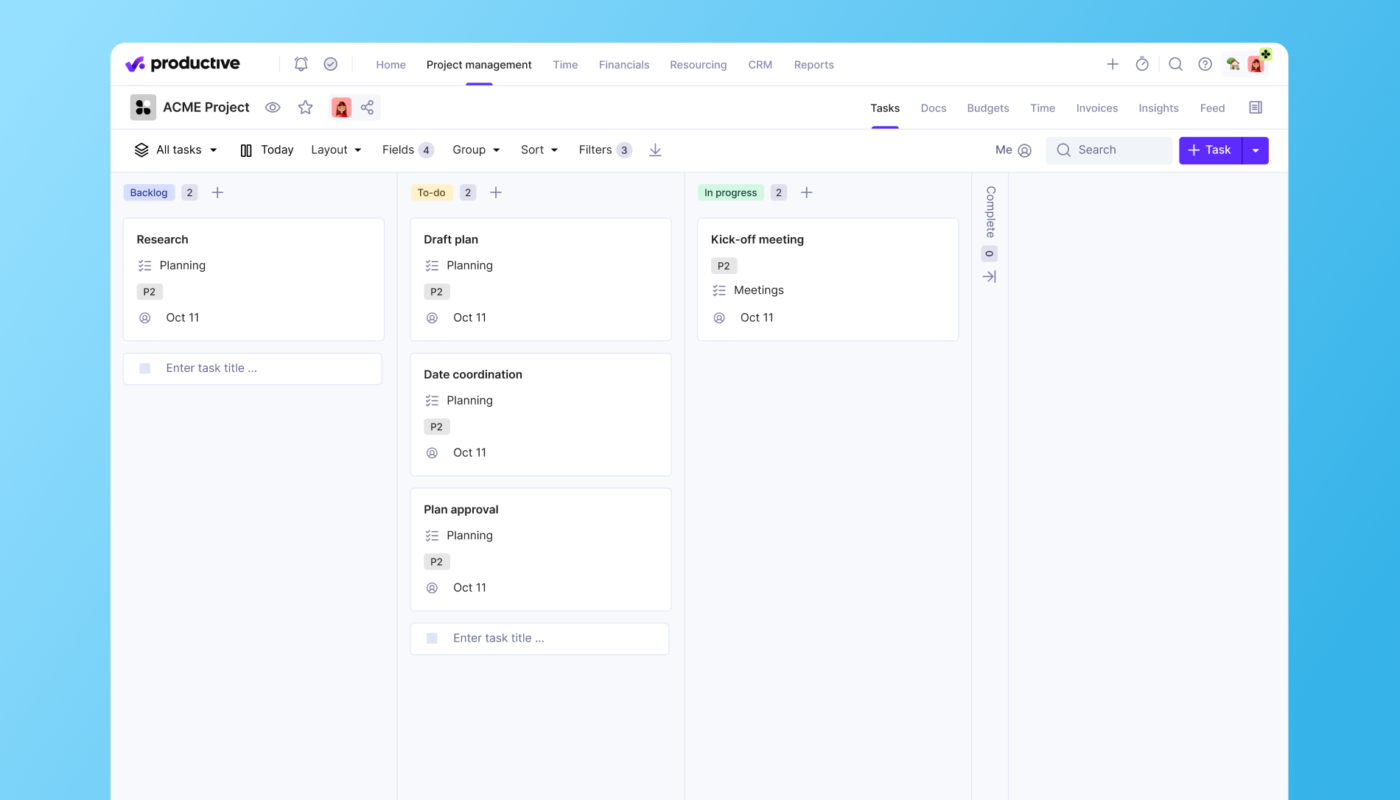
Launching and maintaining a successful website requires more than just great design and coding; it demands meticulous project management throughout every stage of development. From initial planning and discovery to deployment and ongoing support, each phase plays a critical role in ensuring the final product meets client expectations, stays within budget, and is delivered on time. This guide provides a detailed roadmap for managing web projects effectively, emphasizing best practices, methodologies, and tools to help agencies and teams excel in their web build endeavors.
Organizing a complex web development project involves coordinating diverse teams—including designers, developers, QA engineers—and maintaining clear communication with clients and stakeholders. Proper management not only streamlines workflows but also minimizes risks, optimizes resource allocation, and enhances transparency. Understanding the full project lifecycle and selecting suitable methodologies are crucial steps toward delivering polished, high-quality websites that satisfy both clients and project teams.
What Is Website Project Management?
Website project management encompasses the strategic planning, execution, and oversight of all activities involved in creating a website. It involves translating a project brief into a tangible, functional site by aligning scope, timelines, budgets, and responsibilities. This process ensures that each stakeholder—from designers to developers to clients—is aligned and working toward common goals.
Effective website project management requires a collaborative approach across teams and disciplines, emphasizing seamless cooperation and clear workflows. A key component of this success is choosing an appropriate methodology—such as Waterfall, Agile, Scrum, or Kanban—and utilizing dedicated project management software to facilitate communication, tracking, and documentation. These tools serve as the backbone of organized, transparent project execution, enabling teams to adapt swiftly and deliver results efficiently.
Main Phases of Website Project Management
Web project management can be segmented into four core phases, each with distinct objectives and best practices. These phases facilitate a structured approach, guiding teams from conception to maintenance:
- Project Planning and Discovery
- Design and Development
- Testing and Deployment
- Maintenance and Support
Understanding the nuances of each phase enables project managers to anticipate challenges, allocate resources wisely, and implement effective strategies tailored to each stage.

Phase 1: Project Planning and Discovery
The initial stage sets the foundation for the entire project. Its primary goal is to clarify client needs, define objectives, and establish a clear scope. Often termed the “scoping” phase, it involves thorough discussions and documentation to align expectations.
During this period, the project manager collaborates with the client to develop a straightforward development plan that addresses key questions:
Who Are the Stakeholders?
Identifying primary contacts and communication channels is essential. Establishing how updates will be shared, the frequency of meetings, and the main points of contact helps prevent misunderstandings. For example, Agile methodologies emphasize continuous client engagement, integrating feedback throughout development, whereas Waterfall typically involves less frequent interaction.
What Are the Key Deliverables?
Defining tangible outputs and their relation to overall timelines helps in resource planning. Creating a resource plan that maps out team capacity ensures workload balance and prevents bottlenecks caused by insufficient expertise or staffing shortages.
What Are Potential Risks?
Proactively identifying risks—such as technical challenges, scope creep, or resource constraints—enables teams to develop mitigation strategies. Monitoring these risks throughout the project allows for timely intervention, minimizing disruptions.
What Is the Project Budget?
Deciding on a pricing model—fixed, hourly, retainer, or hybrid—is crucial. Clear budgeting expectations help manage client expectations and ensure the scope aligns with available resources. Including provisions for post-launch support and maintenance in the budget is vital, as ongoing care often constitutes a significant portion of total project costs.
Phase 2: Design and Development
This phase transforms planning into tangible progress. It involves creating visual prototypes, establishing UI/UX standards, and building the website itself. Managing this stage effectively requires balancing design vision with technical feasibility.
Start With the Big Picture
Begin with simple prototypes like wireframes to outline layout and core functionalities. Wireframes serve as visual blueprints, focusing on user interaction and site structure without getting bogged down in visual details. This approach helps clarify project scope and user flow early on.
Establish a Single Source of Truth
Implementing a design system—comprising UI components, style guides, and coding standards—ensures consistency and efficiency. According to industry surveys, design systems are particularly beneficial when multiple web properties or contributors are involved, as they promote uniformity across projects.
Set Up Core Processes
Define environments for development, testing, and deployment:
- Development environment: Where developers build new features.
- Test environment: For QA testing and bug fixing.
- Production environment: Where the live website is hosted.
Starting code pushes to the production environment around two-thirds into development allows for early detection of issues and smoother final launches. Proper setup and documentation of these environments prevent confusion and facilitate seamless workflows.
Phase 3: Testing and Deployment
Thorough testing ensures the website functions correctly across browsers, devices, and use cases. It involves several rounds of internal and external testing, including user acceptance testing (UAT).
Organize Testing
Create a comprehensive checklist categorizing bugs as critical or non-critical:
- Critical bugs: Affect core functionality, such as website crashes or broken features, and must be fixed before launch.
- Non-critical bugs: Minor visual issues or inconsistencies that can be addressed post-launch.
Distinguishing between bugs and change requests is also vital. Bugs stem from implementation errors, while change requests involve additional features or modifications requested after initial development.
Final Tasks Before Launch
- Upload the website to its domain
- Integrate analytics and tracking tools
- Submit sitemaps to search engines like Google
- Cross-link pages and ensure SEO optimization
- Train client staff and internal team members on site management
Phase 4: Maintenance and Support
Post-launch support ensures the website remains secure, performs optimally, and adapts to evolving needs. This ongoing phase may include:
- Regular security updates for third-party libraries and plugins
- Performance monitoring and optimization (speed, load times)
- Scaling infrastructure to handle increased traffic
- Managing SSL certificates for data security
- Bug fixes for unforeseen issues arising from user feedback
Incorporating maintenance into the project scope offers long-term benefits for clients and agencies alike. Typically, maintenance costs can account for up to 90% of a website’s total ownership cost, underscoring its importance. Offering retainer agreements that bundle ongoing support with additional value—such as KPI reporting, minor updates, and priority support—can foster long-term relationships and recurring revenue.
How To Manage Successful Web Projects Step-by-Step
Research indicates that 77% of high-performing projects leverage project management platforms, yet many teams still rely on disconnected tools like spreadsheets or emails. Transitioning to dedicated software enhances visibility, accountability, and efficiency.
Step 1: Optimize Workload Management
Most project managers oversee multiple projects simultaneously—some managing more than ten. Without a clear resource plan, this complexity can lead to burnout and delays.
Employ capacity planning tools to monitor team utilization, skill distribution, and availability. Features like leave management help anticipate resource gaps, enabling proactive scheduling.
Step 2: Keep Projects on Track and on Budget
Studies show that only about 29% of projects are completed on time, and around 43% stay within budget. Transparency tools—such as real-time time tracking and financial forecasting—allow managers to detect deviations early.
Implementing detailed time tracking helps gauge actual effort versus estimates, feeding into accurate budget management and helping prevent overruns.
Step 3: Enhance Communication and Collaboration
Clear, consistent communication is critical. Using visual project views—such as Kanban boards, Gantt charts, and task lists—ensures everyone understands project status and next steps.
Inviting clients to view project progress fosters transparency and reduces email back-and-forth. Establishing clear workflows and regular check-ins strengthens team cohesion and stakeholder trust.
Best Practices for Documenting Web Development Projects
Proper documentation supports project clarity, onboarding, and future maintenance. Keep records of initial proposals, technical specifications, design assets, and API documentation.
Adopt proactive documentation habits:
- Document decision rationales and issues as they arise
- Keep documentation current, removing outdated information
- Encourage team members to contribute, regardless of seniority
- Use collaborative tools for real-time updates
This approach ensures comprehensive, accessible, and useful records that benefit ongoing support and future projects.
Choosing the Right Project Management Methodology
Selecting an appropriate methodology depends on project requirements, client preferences, and organizational processes. Common frameworks include Waterfall, Agile, Scrum, and Kanban, each with unique advantages.
- Waterfall: Suitable for projects with fixed requirements and clear scopes. Emphasizes thorough planning and sequential execution. Best when client involvement is minimal.
- Agile: Ideal for complex, evolving projects requiring flexibility. Breaking work into sprints allows iterative development and frequent feedback.
- Scrum: A subset of Agile, Scrum emphasizes daily stand-ups, sprint planning, and incremental releases, suitable for smaller teams focused on rapid iteration.
- Kanban: Focuses on continuous flow and visual task management, supporting ongoing projects and maintenance work.
Assess your project’s stability, stakeholder expectations, governance needs, and team capacity to select the most fitting approach. For comprehensive insights, explore how to effectively choose a project methodology.
Final Tips for Successful Web Project Management
- Align Stakeholders: Regularly ensure all client and team members understand and agree on project goals.
- Embrace Change: Be adaptable and prepared for scope adjustments or unforeseen challenges.
- Maintain Transparency: Use visual management tools to keep everyone informed about progress and issues.
- Celebrate Milestones: Recognize team achievements to boost morale and motivation.
- Invest in the Right Tools: Use dedicated project management software to streamline workflows, improve visibility, and facilitate collaboration. Consider platforms like Productive for integrated management of projects, resources, and finances.
By following these guidelines, web development teams can deliver projects more efficiently, satisfy clients, and foster continuous improvement in their project management practices.