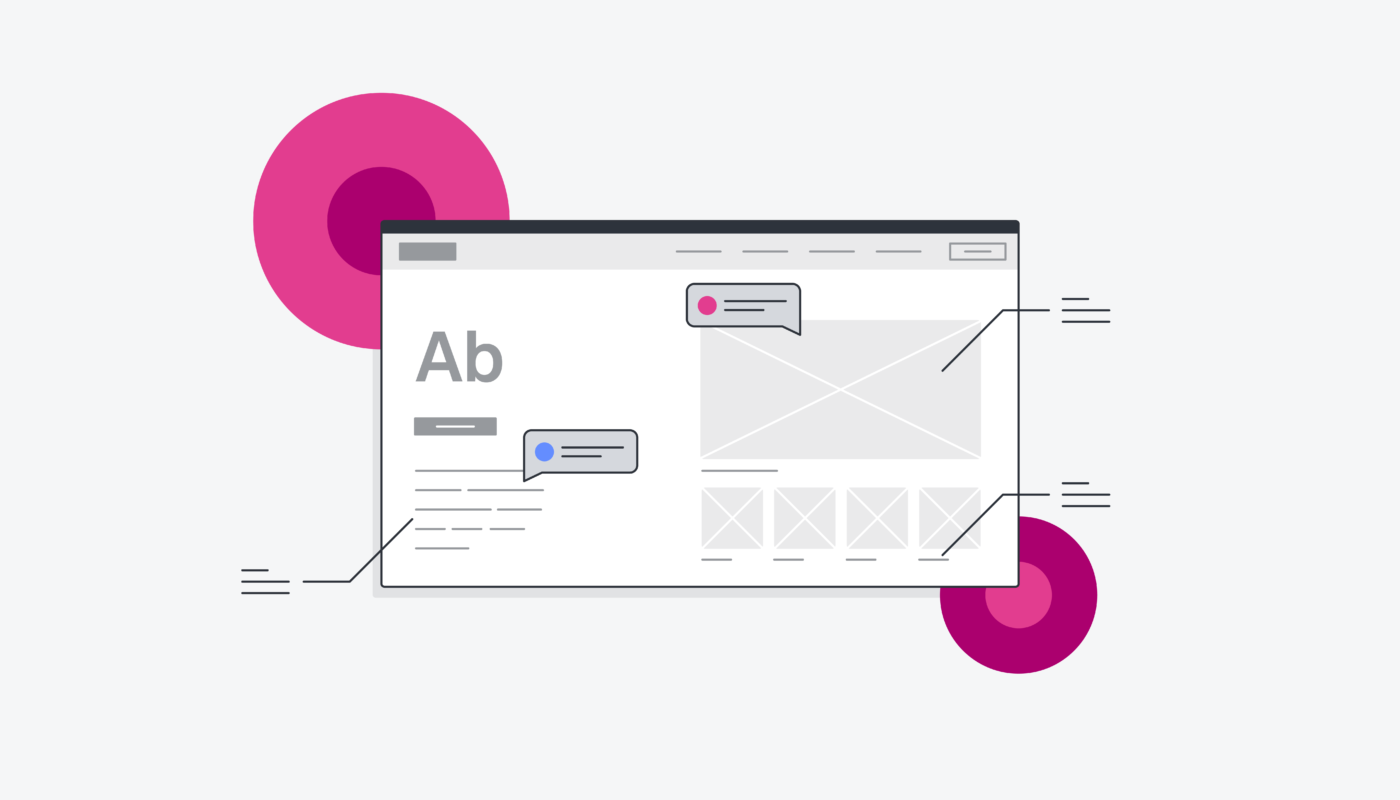
Understanding the fundamentals of wireframing is crucial for anyone venturing into UX or web design. It acts as the blueprint for your digital projects, allowing designers, developers, and stakeholders to visualize the structure and functionality of an interface before any code is written. This guide aims to clarify what wireframes are, their importance, different types, and the tools that can streamline the design process.
Wireframing is a core component of the product development cycle, serving as a visual guide that illustrates the skeletal framework of a webpage or application. Whether sketched manually or created digitally, wireframes provide a clear representation of layout, content placement, user flow, and interactive elements. They enable teams to communicate ideas effectively and align on project goals early in the process.
The Purpose and Limitations of Wireframing
While wireframes offer numerous benefits, they also come with some minor drawbacks. For instance, presenting wireframes to clients or non-technical team members can sometimes be challenging, especially if they mistake them for fully functional prototypes. Clear communication is essential to distinguish between the two.
Additionally, designers might spend excessive time refining wireframes or over-designing them, especially when using complex tools. Changes can become cumbersome if wireframes are hand-drawn or built with intricate systems. Despite these minor issues, the advantages of wireframing far outweigh the disadvantages, making it an indispensable step in UX design.
The Advantages of Wireframing
Wireframes facilitate consensus among stakeholders early in the project, ensuring everyone is aligned on the structure and functionality before development begins. This alignment minimizes costly revisions later on, saving both time and money. Developers can refer to wireframes to understand the intended user experience, reducing rework and streamlining the build process.
Moreover, wireframes allow designers to test the practicality of their ideas. They can be used in user testing scenarios to gather feedback, ensuring the final product meets user needs. By focusing on layout and usability early, wireframes help keep the user at the heart of the design process, ultimately leading to more effective and user-friendly interfaces.
When to Use Wireframing
Typically, wireframing occurs during the exploratory or early design phases of a product’s lifecycle. This stage involves defining the project’s scope, brainstorming ideas, and establishing core requirements. The initial wireframe acts as a foundation for subsequent design iterations, guiding the development of detailed prototypes and high-fidelity mockups.
After creating a wireframe, it is common to gather user feedback, which informs further revisions. This iterative process might include developing additional wireframes, prototypes, or mockups to refine the design. For more insights on progressing from wireframes to full prototypes, explore our comprehensive guide to prototyping.
The Three Main Types of Wireframes
Wireframes come in varying levels of fidelity, each suited to different stages of the design process and specific purposes. Fidelity indicates how closely the wireframe resembles the final product in terms of visual detail and functionality. Despite differences, most wireframes include common elements such as placeholder text, headers, search fields, image blocks, logos, share buttons, and menus, predominantly in shades of gray to emphasize structure over style.
Low-Fidelity Wireframes
Purpose: Initial conceptualization, mapping user flow, basic layout planning, and idea communication.
Low-fidelity wireframes, often called lo-fi, are simple sketches that outline the basic structure of a webpage or app. They are typically hand-drawn or created with basic digital tools. These wireframes omit detailed content, typography, colors, and precise scaling, instead using boxes with X’s or scribbles to represent images and text. This simplicity encourages focus on layout and user experience flow rather than visual design.
Mid-Fidelity Wireframes
Purpose: Exploring design ideas, establishing component placement, and refining user navigation.
Mid-fidelity wireframes provide a more detailed representation than lo-fi versions. They are usually created digitally and include clearer depictions of interface components without final images or text. Designers often use various shades of gray, font weights, and spacing to indicate hierarchy and interactivity. This stage helps teams evaluate layout, spacing, and basic functionality before moving towards detailed visual design.
High-Fidelity Wireframes
Purpose: Finalizing design features, exploring complex interactions, and preparing for user testing.
High-fidelity wireframes, or hi-fi, closely resemble the final product. They feature actual images, text, detailed menus, and pixel-perfect layouts. These wireframes are often used as prototypes to simulate user interactions and gather detailed feedback. They are created with advanced digital tools and help ensure that design specifications are clear before development begins.
Top Tools for Wireframing
Choosing the right wireframing tool can significantly enhance productivity and collaboration. Below are some of the most popular options, each suited to different needs and skill levels:
- Sketch is widely favored for its vector-based interface and reusable components, enabling fast and precise wireframes without a UI library.
- Balsamiq offers a straightforward, drag-and-drop interface ideal for quick sketches and early-stage ideas, with built-in UI components for testing across different devices.
- Invision Freehand allows for digital hand-drawn wireframes, supporting seamless collaboration and easy transfer to other design platforms.
- Photoshop provides pixel-perfect control and detailed design options but requires a steep learning curve, suitable for creating high-fidelity wireframes.
- Marvel simplifies rapid wireframe creation with pre-designed sections and a user-friendly comment feature for team feedback.
- Proto.io is a cloud-based platform enabling real-time collaboration and smooth transition from wireframes to interactive prototypes, useful for gathering user testing insights.
- Figma combines a browser-based interface with collaboration features, making it easy for teams to work together on wireframes in real time.
Final Thoughts
Mastering wireframing is fundamental for any UX designer or developer aiming to craft intuitive, user-centered digital products. Whether presenting initial concepts or refining detailed designs, wireframes serve as the visual roadmap that guides the entire development process. As you advance in your design journey, exploring tools like understanding serverless architecture can also help you grasp how modern web infrastructure supports seamless user experiences. Developing proficiency in wireframing not only streamlines your workflow but also enhances communication and collaboration across teams, ensuring your ideas translate effectively into engaging digital experiences.