A website banner serves as a pivotal element in digital marketing, acting as a visual and interactive gateway that captures visitors’ attention and drives engagement. As one of the first points of contact between a potential customer and a brand, well-designed banners can significantly enhance brand visibility, boost traffic, and increase conversions. Understanding the different types, placements, and best practices for banners is essential for any business aiming to leverage this versatile advertising format.
What is a Website Banner?
A website banner is a digital advertising graphic, typically rectangular in shape, prominently displayed on a website. Its primary role is to serve as a visual advertisement that immediately communicates a message or promotes a product, service, or offer. When users interact by clicking on the banner, they are usually redirected to a specific landing page or the advertiser’s main website.
Banner ads are favored in digital marketing due to their versatility, cost-effectiveness, and measurable results via metrics like Click-Through Rate (CTR). They are particularly popular among businesses seeking to enhance brand awareness, visibility, or customer engagement through remarketing strategies.
While some banners effectively generate substantial traffic and sales, poorly designed or irrelevant banners can go unnoticed or even harm a brand’s reputation. Two common synonyms for website banners are “banner ads” and “display ads,” both emphasizing their role as visual promotional tools.
The Purpose of a Website Banner
The core objective of creating website banners is to drive targeted traffic to a specific webpage through embedded links. Nonetheless, banners can fulfill various roles within a broader marketing strategy:
- Increasing Website Traffic: The most straightforward purpose is to attract visitors to a website, highlighting content, products, or services. Proper placement and compelling design are crucial here.
- Promoting Products or Services: Targeted banners can persuade users to make a purchase or engage with a service. For example, a banner advertising a camping tent sale should be positioned on holiday-related websites or pages with relevant offers.
- Capturing User Attention: With the abundance of online ads, banners must be creative and well-placed to stand out amid competing messages.
- Highlighting Discounts & Offers: Banners are highly effective for promoting time-sensitive deals, discounts, or special promotions. Common calls-to-action (CTAs) like “click here for x% off,” “unlock your gift,” “grab it today,” or “get the look” can significantly increase user engagement and conversions.
Types of Website Banners That Make Your Brand Stand Out
Static/Standard Banners
These banners feature a single static image without animation or multimedia elements. They deliver a direct and straightforward message, focusing on creating a lasting impression rather than immediate clicks. Their simplicity makes them suitable for branding purposes and subtle calls to action.

Animated GIF Banners
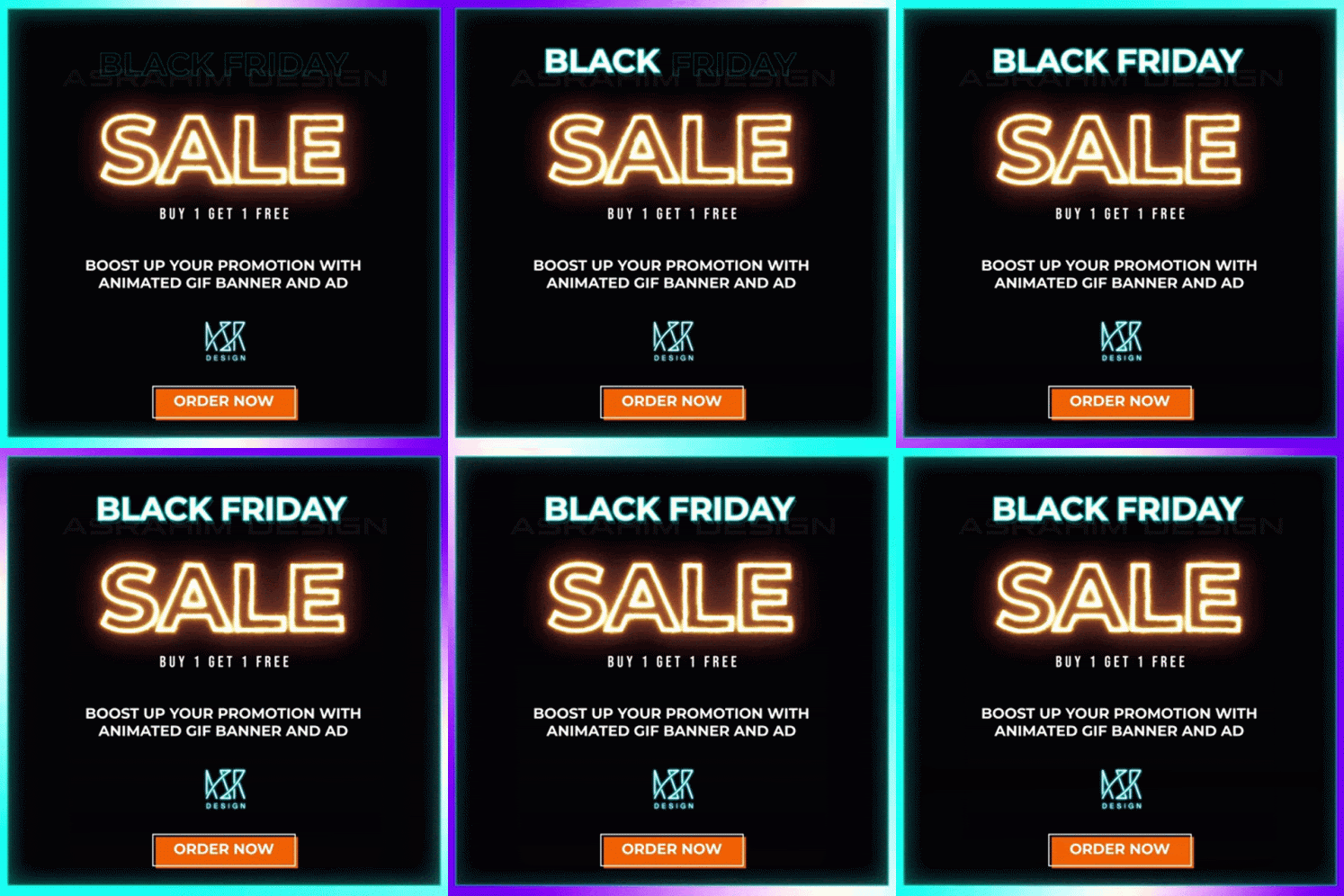
Animated GIF banners utilize simple animations to add visual interest without overwhelming the viewer. A well-designed GIF can effectively convey a message or highlight a promotion, focusing on delivering substance over flashy effects. These banners tend to be more engaging than static images without risking user irritation.
Flash Banners
Using Flash technology, these banners incorporate animations, special effects, and interactive elements to create a more dynamic experience. They often feature vibrant graphics, smooth transitions, and engaging effects that can increase user interaction. However, due to declining support for Flash, modern alternatives like HTML5 are now more commonly used.
Common Placements for Website Banners
The strategic placement of banners within a website significantly influences their effectiveness. Typical locations include:
-
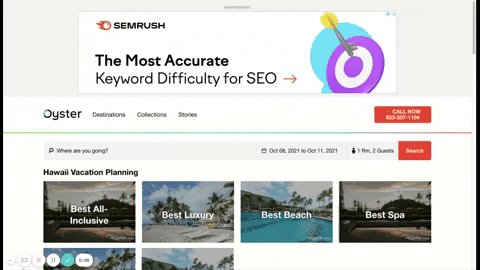
Header (Top Horizontal): Positioned at the top of the webpage, this prominent placement captures immediate attention.
-
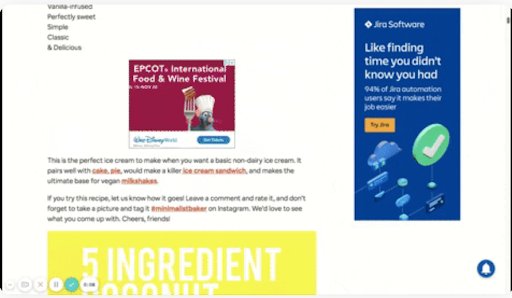
Sidebars (Right-Hand Column – Sticky): Located on the right side and often sticky, sidebars offer persistent visibility as users scroll.
-
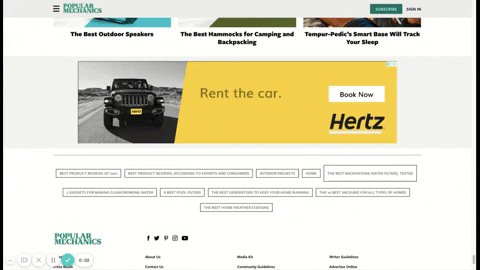
Footer (Bottom Horizontal): Placed at the bottom of the page, footers are less intrusive but still accessible for users interested in additional information.
-
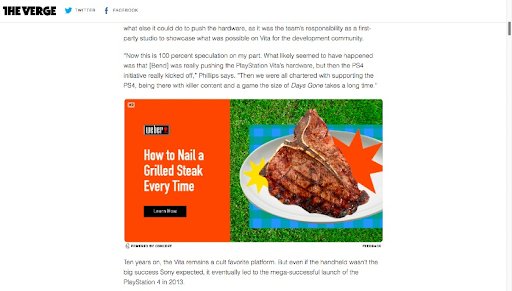
In-Content (Within Body): Integrated within the main content area, these banners appear naturally during the user’s reading or browsing experience.
Design Tips for an Effective Website Banner
Creating a high-performing banner involves more than just eye-catching visuals. It requires strategic design, clear messaging, and proper placement:
- Always feature the business logo or name prominently for brand recognition.
- Ensure the message is relevant, concise, and immediately understandable.
- Use attractive visuals, animations, and vibrant colors to capture attention.
- Maintain a clean, uncluttered layout to facilitate readability.
- Incorporate a compelling CTA button that clearly indicates the next step.
- Select the optimal shape, size, and format suited to the placement and purpose.
- Position banners thoughtfully to maximize visibility without disrupting user experience.
- Maintain consistency with the overall brand message while creating a sense of urgency to prompt action.
- Conduct A/B testing to determine which designs, placements, and effects perform best. You can easily do this with tools like VWO, which offers a free trial.
How to Measure the Banner’s Success
The primary metric for evaluating banner effectiveness is the click-through rate (CTR), representing the percentage of viewers who click on the ad after seeing it. According to Google, the average CTR for display ads is approximately 0.46%, serving as a baseline for performance expectations.
Analyzing CTR helps answer critical questions, such as:
- Does the banner message resonate with the intended audience?
- Is the design visually appealing or perceived as intrusive?
- Which placement yields the highest engagement?
- Are certain websites or pages more effective than others?
- What timing or frequency optimizes visibility?
Running systematic tests, including A/B and split testing, provides insights into design, placement, timing, and effects, enabling continuous optimization for better results.
Best Tools for Building & Tracking Web Banners
Numerous tools facilitate the creation and analysis of effective web banners. Some of the most popular and reliable options include:
- Canva: Allows for quick creation of professional graphics with an intuitive interface.
- Pixabay: Offers a vast library of free stock images to enhance banner visuals.
- Leadpages: Provides resources for designing high-converting landing pages linked to banners.
- VWO: An excellent platform for building, testing, and optimizing banners with its visual editor. It enables you to set up A/B tests and compare different banner variations to identify what resonates most with your audience. Sign up for a free trial of VWO to explore its features.
A well-crafted banner that delivers relevant, appealing content can significantly impact your marketing efforts, attracting visitors and encouraging desired actions. When executed correctly, banners become a valuable asset in your digital advertising toolkit, helping your brand stand out and achieve its goals.