Breadcrumbs are a fundamental element of effective website design, serving as a navigational aid that benefits both visitors and search engines. These small, often unobtrusive, text paths help users understand their current location within a website’s structure, making browsing more intuitive and reducing frustration. Simultaneously, breadcrumbs assist search engines like Google in deciphering your site’s hierarchy, which can improve your visibility in search results. Implementing breadcrumbs thoughtfully can lead to better user experiences, lower bounce rates, and enhanced SEO performance. Understanding how to strategically add and optimize breadcrumbs is crucial for modern website success, especially as online competition continues to grow.
What are breadcrumbs?
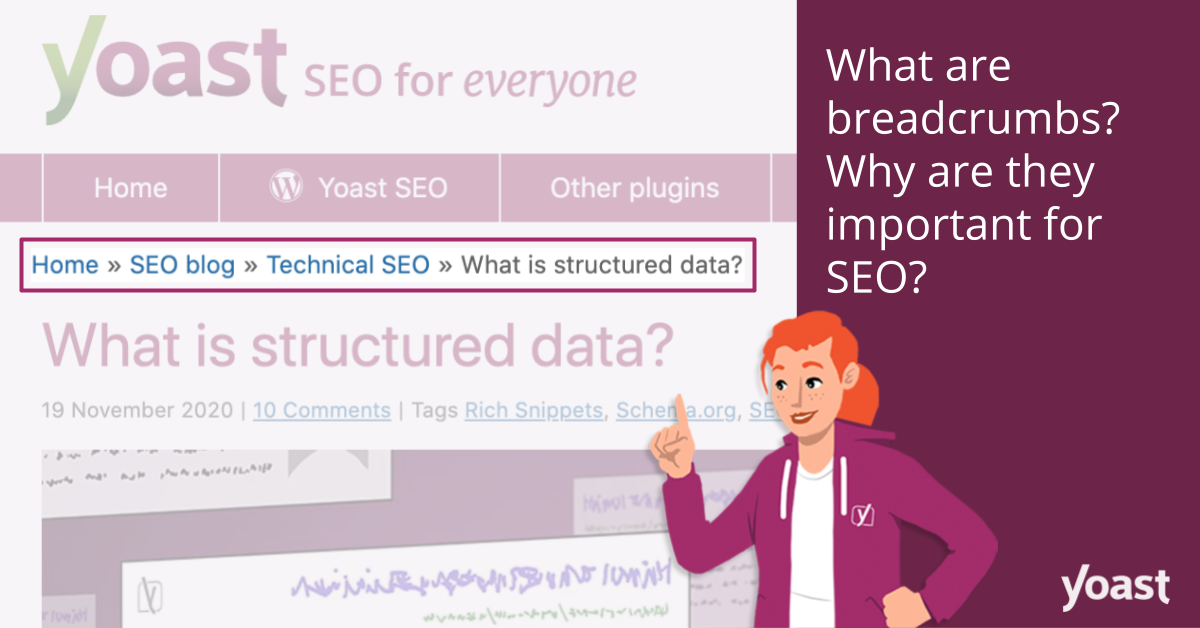
A breadcrumb trail is a compact text-based navigation path usually displayed near the top of a webpage. It reveals the user’s current position on the site relative to its overall structure. For example, on yoast.com, the trail to their Keyword research guide appears as Home > SEO blog > Content SEO > Keyword Research > Keyword research for SEO: the ultimate guide. This trail not only informs visitors about their location but also allows them to easily return to previous sections by clicking on any part of the path.
The term “breadcrumb” originates from the fairy tale of Hansel and Gretel, where Hansel dropped pieces of bread along their path to find their way back home. This analogy perfectly captures the purpose of breadcrumbs on websites: guiding users through complex navigation paths.
In Google search results, breadcrumbs also appear underneath listings, giving users a quick overview of the page’s place within the website hierarchy. This feature is enabled through the use of structured data, such as BreadcrumbList in JSON-LD format, which can be automatically added by tools like Yoast SEO. Properly implemented structured data not only helps Google understand your site’s layout but also enhances your snippets in search listings, making them more attractive to potential visitors.
For a comprehensive understanding of implementing structured data for breadcrumbs, refer to Google’s developer documentation. Additionally, using the Yoast SEO breadcrumb block can simplify adding breadcrumbs to individual pages or posts, streamlining the process for content creators.
Different types of breadcrumbs
There are primarily three types of breadcrumbs, each serving different navigation purposes:
Hierarchy-based breadcrumbs
This is the most common form, displaying the user’s position within the website’s structure. It typically looks like Home > Blog > Category > Post name, illustrating the path from the homepage to the current page. These are especially useful for content-rich sites with multiple levels of categories and subcategories, helping visitors understand where they are and how to backtrack easily.
Attribute-based breadcrumbs
These are prevalent in e-commerce platforms, where product filters and attributes dominate navigation. For instance, a trail such as Home > Product category > Gender > Size > Color helps users refine their searches and understand how products are organized based on attributes. This type of breadcrumb aids in filtering and enhances the shopping experience.
History-based breadcrumbs
This variation reflects the user’s actual journey through the site, similar to a browser history. It records the sequence of pages visited, such as Home > Previous page > Previous page > Current page, providing a personalized navigation trail. Some websites combine this with hierarchy-based breadcrumbs to give a comprehensive view of both site structure and user activity.
Advantages of using breadcrumbs
Incorporating breadcrumbs into your website design offers numerous benefits:
1. They are favored by search engines
Google appreciates well-structured navigation elements like breadcrumbs because they clarify your website’s hierarchy. By adding structured data, you enable Google to interpret and display breadcrumb trails in search results, which can make your listings more appealing and click-worthy. This can be especially powerful for increasing organic traffic, as highlighted in resources about the true cost of custom website design in 2025.
2. They improve the user experience
Visitors often seek familiar landmarks or clear pathways when navigating unfamiliar websites. Breadcrumbs serve this purpose by providing an instantly recognizable and accessible way to explore your site. They eliminate the need to repeatedly use the back button or search for navigation menus, ensuring smoother browsing and higher satisfaction levels.
3. They help reduce bounce rates
Since a significant portion of your traffic arrives via organic search, guiding visitors to other relevant pages is essential to keep them engaged. Breadcrumbs act as quick links to higher-level pages, encouraging users to explore more of your content without returning to Google. This can significantly lower bounce rates and increase time spent on your site, ultimately improving your SEO performance.
How to add breadcrumbs
There are various methods to incorporate breadcrumbs into your website, depending on your platform. WordPress users can easily implement them through plugins like Yoast SEO, which provides built-in support for breadcrumb functionality. For other content management systems, custom coding may be necessary, with the key being to add structured data that search engines can interpret effectively.
For example, the code snippet below can be added to your theme files to display breadcrumbs in WordPress:
“`php
‘ );
}
?>
“`
Once integrated, you should enable breadcrumb support in Yoast SEO’s advanced settings and configure their appearance to match your site’s design. For more detailed guidance, consult how to craft an effective website brief to ensure your implementation aligns with your overall site goals.
Yoast SEO’s built-in breadcrumb support
Yoast SEO simplifies adding breadcrumbs to WordPress sites. Many themes also include native support, making setup straightforward. If your theme does not support this feature, adding the above code in appropriate template files is recommended. Proper implementation ensures that both users and search engines benefit from clear, consistent navigation cues.
Furthermore, you can use the Yoast SEO block in the WordPress block editor, making it easy to add breadcrumbs on specific pages or posts without touching code. This flexibility allows precise control over where and how breadcrumbs appear, enhancing overall site usability.
Conclusion
Don’t let your visitors get lost in the maze of your website’s pages. Breadcrumbs serve as an intuitive guide, providing clarity on your site’s structure and helping users navigate effortlessly. At the same time, search engines like Google value these structured navigation cues, which can improve your search appearance and drive more organic traffic. Implementing breadcrumbs effectively is a critical step in optimizing your website for both usability and SEO success. Use tools like Yoast SEO to facilitate their addition, and remember that well-placed breadcrumbs contribute significantly to a positive user experience and higher search rankings.