Creating website templates that resonate with your audience and generate consistent sales is both an art and a science. Whether you’re a designer aiming to expand your income streams or a business owner looking to offer valuable digital products, understanding what makes a template truly marketable is essential. This comprehensive guide breaks down the key strategies behind developing best-selling templates that not only look great but also meet the real needs of your target customers. Dive into proven techniques, from defining your ideal user to promoting your designs effectively, and learn how to turn your creative ideas into profitable digital assets.
How to Decide on a Winning Website Template Design
Ever wonder what truly makes a website template stand out in a crowded marketplace? Our experience with over 7,000 Squarespace website templates shows that the most popular designs are often those that incorporate the latest aesthetic trends. Yet, staying on-trend alone isn’t enough. To create templates that fly off the virtual shelves, you need to tailor your designs to your specific audience. For example, a professional, clean template may appeal to corporate clients like lawyers or consultants, while vibrant, playful designs might attract creative entrepreneurs or wellness brands.
The secret lies in understanding your ideal customer’s preferences and needs. Their industry, style sensibilities, and functional requirements should guide your design choices. Knowing this will help you craft templates that feel personalized and relevant, increasing their appeal. For more insights into what makes a design resonate, consider exploring the emerging web design trends set to shape 2025, which can inspire fresh ideas and keep your offerings current.
Focus on Your Ideal Customer
Before you start designing, it’s vital to have a crystal-clear picture of your target audience. This understanding shapes every aspect of your template—from layout to color scheme to functionality. Imagine your customer: What are their goals? What challenges do they face? How do they want their website to represent their brand?
Start by narrowing your focus to specific niches within your broader target market. For instance, instead of general entrepreneurs, consider tailoring templates for photographers, yoga instructors, or boutique owners. This niching allows you to create highly relevant templates that solve specific problems and appeal directly to the needs of your ideal clients.
To refine this approach, gather direct feedback from your audience or existing clients. If you notice recurring questions like “Do you have a template for this?” or “Can your templates include that feature?”, it’s a clear sign of market demand. Filling these gaps can give you a competitive edge. Learn more about the skills required to launch a successful web design career by exploring this comprehensive resource on what education do you need to launch a career as a web designer.
Create a Customer Brief
Once you understand your ideal client, develop a detailed project brief that guides your design process. Define the main purpose of the website—whether it’s selling products, promoting services, showcasing a portfolio, or enabling bookings. This clarity ensures your template includes the right features and structure to meet those goals.
Consider your target audience’s preferences: Will they be primarily women seeking beauty treatments? Professionals needing a sleek business site? Men interested in fitness? Tailoring your design elements—colors, fonts, imagery—based on these insights will make your templates more compelling.
Next, plan the content structure: List essential pages like Home, About, Contact, Shop, or Blog. For each page, specify what content and features it should include, such as galleries for photographers or booking forms for wellness services. This step helps ensure your templates are functional and user-friendly.
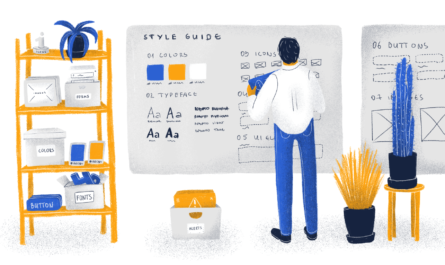
Inspiration plays a crucial role here. Create mood boards using platforms like Pinterest or Canva to visualize your style direction. Selecting cohesive color palettes and fonts based on your mood board will help streamline your design process. For guidance on choosing harmonious color schemes, check out creating the perfect color palette.
When selecting demo content, opt for images and text that resonate with your target audience. Using relevant stock photos from sources like Pexels or Unsplash can make your templates more attractive and relatable, increasing conversion rates. To see how different elements come together, explore the power of unlocking the power of javascript its uses and applications.
Get Building!
With your plan in place, it’s time to bring your template to life on your chosen platform—Squarespace being a popular choice. Focus on creating a high-quality, responsive design that looks good on all devices. Test your layout on desktops, tablets, and smartphones to ensure a seamless user experience.
Prioritize readability by selecting fonts and font sizes that are easy to scan and understand. Make sure there’s enough contrast between text and background colors to enhance accessibility. Incorporate accessibility features such as clear navigation, large clickable areas, and color contrast compliance, which are especially important if your target market includes health professionals or service providers. Review the ADA website accessibility guidelines here.
Navigation should be intuitive. Include a prominent menu and call-to-action buttons that guide visitors naturally through the site, encouraging engagement. Keep customization simple—use your platform’s built-in tools rather than heavy coding, making it easier for your customers to personalize their sites effortlessly.
Promote Your Templates Effectively
Creating a stunning template is just the beginning. To maximize sales, you need to actively promote your designs across multiple channels. Content marketing through blog posts or YouTube videos can position you as an authority and boost your SEO. Share tips on your social media platforms—Instagram, Pinterest, TikTok—highlighting your template features and behind-the-scenes insights to build engagement.
Marketplace platforms like Creative Market and Etsy are excellent avenues for additional exposure, but remember they charge commissions. Having your own shop allows you to keep 100% of your profits and build a loyal customer base. Consider offering freebies such as mini courses or downloadable workbooks to attract new subscribers and nurture your email list. Building and nurturing this list is crucial because email marketing consistently yields higher conversion rates than social media alone.
Test your templates with beta users to gather feedback and improve your offerings. Collaborate with influencers or industry peers through affiliate programs to expand your reach. These partnerships create a win-win scenario, increasing visibility and sales.
Learn more about expanding your online presence and marketing strategies by exploring trends in digital marketing and web design. For instance, stay ahead with emerging web design trends set to shape 2025.
How Long Does It Take to Develop a Website Template?
Creating a professional-quality template typically mirrors the timeline of a custom project—around two weeks, depending on complexity. While you won’t have to deal with client revisions, you’ll need to prepare all content and visuals yourself. Planning carefully and setting realistic deadlines will help you stay on track and ensure your templates are polished and ready to sell.
By mastering these strategies and focusing on your audience’s needs, you’ll be well-positioned to produce website templates that not only sell but also help your clients succeed. Remember, understanding your ideal customer, staying updated on design trends, and providing clear, flexible templates are the keys to long-term success.
If you’re eager to start your own template shop, don’t miss our free training that covers how to set up your shop, create compelling demos without costly plans, and deliver templates smoothly to your customers. For even more insights and tips, check out our related posts on pricing, marketing, and expanding your template business!