Creating a website that effectively engages users and achieves your organizational goals requires more than just appealing visuals and compelling content. A fundamental yet often overlooked element is information architecture (IA)—the strategic framework that organizes, structures, and labels your website’s content. Proper IA ensures visitors can navigate effortlessly, find what they need, and have a satisfying experience. In this comprehensive guide, we will explore the essentials of IA, its core components, practical implementation steps, and why it is vital for your online success.
What Is Information Architecture?
Much like architecture in the physical world, information architecture involves designing the layout and organization of digital spaces—in this case, your website—to make information understandable and accessible. As the Information Architecture Institute succinctly defines it:
Information architecture is the practice of deciding how to arrange the parts of something to be understandable.
To visualize this, consider a library. The way books are cataloged, shelved, and signposted mirrors how IA functions within a website. The cataloging system, shelving layout, and directional signs facilitate smooth navigation for visitors. Similarly, in your website, IA encompasses how information is structured both on the front-end (what users see and interact with) and the back-end (the underlying content organization that search engines crawl). This dual approach ensures a logical flow and easy retrieval of information.
Examples of Information Architecture Elements
Practical components of IA include:
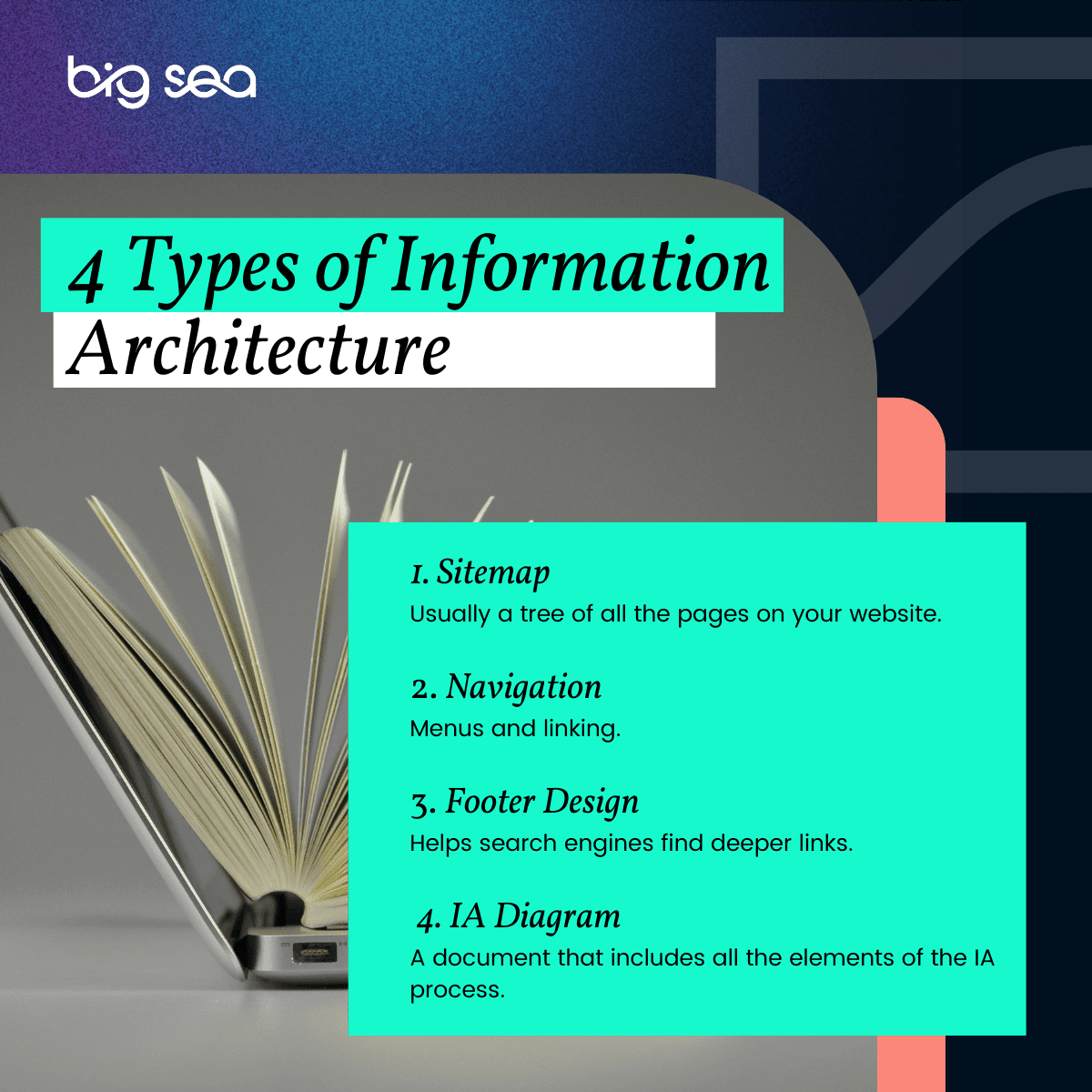
- Sitemap: A visual or textual outline of all pages within your website, showing how they are interconnected and categorized. It offers a macro-level view of your site’s structure.
- Navigation: Menus, breadcrumbs, and other interface elements that allow users to move through your website seamlessly.
- Footer Design: Often overlooked, the footer can serve as a secondary navigation aid, guiding users to important pages and supporting search engine indexing.
- IA Diagram: A comprehensive document that maps out all IA components, including the sitemap and navigation pathways, providing a blueprint for development.
What Are the Four Core Components of Information Architecture?
In their foundational work Information Architecture for the World Wide Web, Lou Rosenfeld and Peter Morville delineated four primary elements that should be integral to any website’s structure:
1. Organizational Systems
These define how your content is categorized and grouped. Common models include:
- Hierarchical: Organizing content in a tree-like structure, such as main categories with subcategories.
- Sequential: Arranging information in a specific order, often for processes or tutorials.
- Matrix-Based: Allowing users to browse content via multiple dimensions or filters, such as tags or attributes.
Examples include categorizing a blog by topics, arranging product pages by type, or organizing a portfolio by project type.
2. Labeling Systems
Labels serve as the identifiers for your content, guiding user understanding and interactions. They include:
- Button texts (e.g., “Contact Us”)
- Menu items
- Headings and subheadings
- Anchor text in links
Effective labeling should be intuitive, descriptive, and aligned with user expectations to facilitate smooth navigation and comprehension.
3. Navigation Systems
Navigation encompasses the tools and design elements that enable user movement across your site:
- Main menus
- Sidebars
- Breadcrumb trails
- Call-to-action buttons
A well-designed navigation system reflects your sitemap’s structure, making it easy for visitors to find their way and reach their goals.
4. Search Systems
Search functionalities allow users to bypass navigation menus and directly find specific content:
- Basic search boxes
- Advanced filters and facets
An optimized search system significantly enhances user experience, especially on content-rich sites, by providing quick access to desired information.
9 Steps to Effective Website Information Architecture
Developing a robust IA is a process that benefits from a clear, systematic approach. Here are nine essential steps:
-
Define Your Website Goals
Clarify what your website aims to accomplish, such as lead generation, sales, or information sharing. Clear goals set the direction for your IA. -
Identify Your Audience’s Needs
Understand what your visitors are seeking. Their goals may differ from yours, so tailor your structure accordingly. Learn more about is an online web design degree the right path for you. -
Create a Content Inventory
List all existing and planned content. Categorize and analyze what types of information need to be included to serve your users effectively. -
Group Content Using Card Sorting
Employ card-sorting techniques—either physically or digitally—to discover natural groupings and hierarchies among your content. -
Develop a Sitemap
Translate your grouped content into a visual diagram. This blueprint maps out how pages connect and relate, serving as a foundation for your navigation. -
Design Navigation Elements
Based on your sitemap, craft menus, breadcrumbs, and other navigational tools, ensuring they reflect logical pathways for users. -
Test with Real Users
Conduct usability testing by having target users attempt to find content. Observe how easily they navigate and identify pain points. -
Ensure Accessibility and Mobile-Friendliness
Design your IA to be accessible to all users, including those with disabilities, and optimize it for mobile devices. For example, a mobile-first approach emphasizes simplicity and clarity, aligning with principles outlined in how to land your dream web design job proven strategies for success. -
Refine and Iterate
Use user feedback and analytics to make improvements. A flexible IA adapts to evolving content and user behaviors, ensuring sustained effectiveness.
Following these steps creates a structured website blueprint that aligns with both your business objectives and user expectations.
Why Does Information Architecture Matter?
While some might assume their website’s simplicity negates the need for strategic IA, every site benefits from thoughtful organization. Well-designed IA:
- Enhances User Experience (UX): Clear structure guides visitors naturally, reducing frustration and increasing satisfaction.
- Provides a Holistic View: It enables you to see your entire website’s architecture at a glance, facilitating updates and expansions.
- Supports Goal Achievement: Whether your goal is conversions, information dissemination, or community building, IA directs users smoothly toward desired actions.
- Impacts Search Engine Optimization (SEO): Proper IA improves crawlability, helps search engines understand your content, and can boost rankings.
- Reduces Long-term Costs: A well-structured site simplifies maintenance, updates, and scalability, saving money over time.
Good IA is an investment that yields tangible benefits, making your website more effective and cost-efficient. For example, arranging your content logically can significantly improve your site’s SEO and user engagement, ultimately increasing conversions.
Accessibility and Information Architecture
Designing with accessibility in mind is not only a legal and ethical obligation but also enhances overall user experience. Over 50 million Americans have disabilities that affect how they navigate websites. Incorporating accessibility principles into your IA ensures your site is usable by everyone, including those relying on screen readers or alternative input devices.
Furthermore, accessible IA benefits all users. Improvements such as descriptive alt text for images or keyboard-friendly navigation can improve search engine rankings and usability for everyone. The five pillars of accessibility in IA include:
- Ensuring controls are reachable and understandable via screen readers
- Descriptive, meaningful page titles
- Multiple navigation options (sitemaps, interlinks, search)
- Clear indication of language and interface changes
- Accessible forms with labels and instructions
Implementing these principles broadens your audience and shields you from legal risks. For more details, see the essential role of wireframes in web design and enhancing user experience.
Mobile-Friendly Information Architecture
With over half of internet traffic coming from smartphones and tablets, mobile-first IA is essential. Mobile users prefer simple, straightforward navigation, larger buttons, and visually engaging content. Traditional desktop structures often don’t translate well to smaller screens, necessitating a tailored approach.
Key principles of mobile-first IA include:
- Simplified content that is smaller and easier to handle
- Minimalist menus with limited options
- Reducing the number of clicks needed to reach content
- Clear, descriptive links
- Explicit navigational cues like breadcrumbs
Implementing these principles ensures your site provides an optimal experience across all devices. The lessons from mobile design also improve desktop usability, creating a cohesive, responsive experience.
Get Help Designing Your IA
Developing effective IA can be complex, but you don’t need to do it alone. Partnering with experienced professionals ensures your website’s structure supports your goals and your users’ needs. With guidance, you can craft an IA that enhances usability, SEO, and accessibility. Contact us to learn how we can assist in building or refining your website’s information architecture.