Building a website or app requires a combination of creative design skills and technical expertise. Using the right Adobe products can significantly streamline this process, enabling designers and developers to craft visually appealing, user-friendly digital experiences. At IT BOOST Australia, we’ve relied on these powerful tools to deliver exceptional websites and applications, and now we’re sharing insights into the top five Adobe products that can elevate your digital projects to the next level.
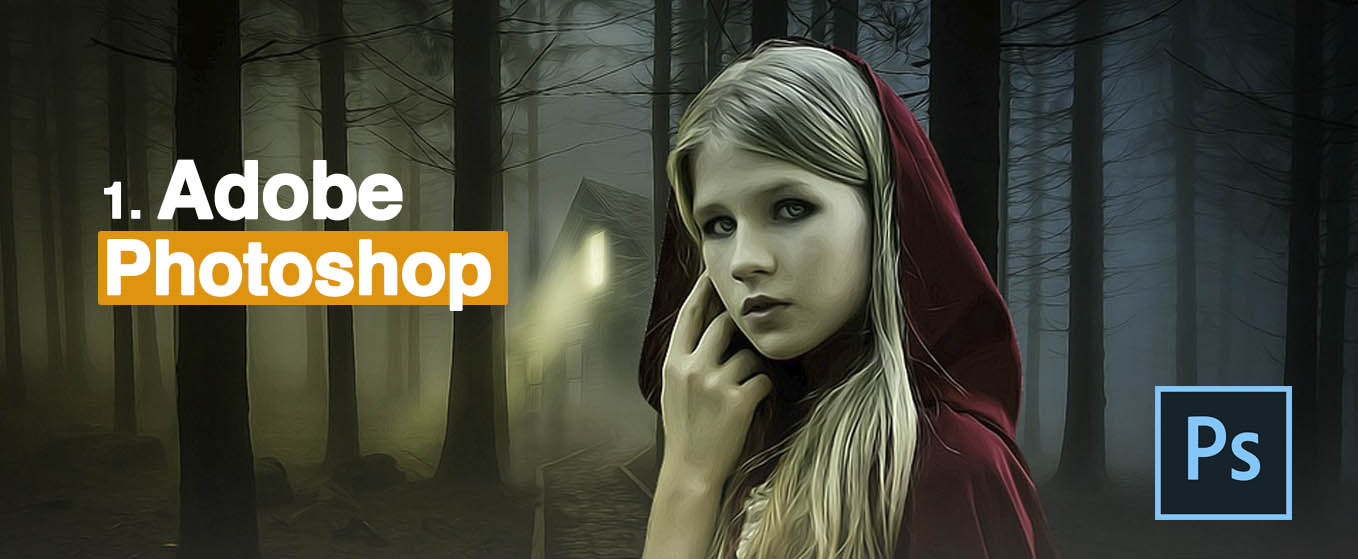
1. Adobe Photoshop: Essential for Digital Design and Image Editing
Photoshop remains the most popular and widely used photo editing software worldwide. It has established itself as the industry standard for digital graphics editing and digital art creation. The term “Photoshopping” has become synonymous with image manipulation, reflecting its dominance in the field.
As a web or app designer, you often work with creating and refining images such as logos, banners, and other visual assets. Photoshop excels in providing fast, versatile editing capabilities with a user-friendly interface. Its features include limited text and vector tools, like clipping paths, which are highly useful for preparing assets.
One of Photoshop’s most powerful features is the layer system. Layers allow you to develop various elements independently and organize them in a stack, giving you complete control over each part of your design. This modular approach makes editing more efficient; mistakes in one layer don’t affect others. The layer palette provides tools such as masks, blending modes, opacity adjustments, and grouping options—essential for complex compositions. To deepen your understanding, explore this guide on how micro-interactions like toast notifications can improve user experience.
Photoshop is also invaluable for creating website and mobile app mockups, which can later be converted into functional code through processes like “PSD to HTML conversion.” The Slice Tool helps divide your design into smaller parts, which developers can export and integrate into web development environments such as Adobe Dreamweaver.
Content-Aware Fill allows seamless object removal, replacing selected areas with surrounding pixels automatically—saving time and maintaining natural-looking results, as shown in many tutorials. Additionally, tools like Vector Masks enable precise clipping of layer contents without losing quality, which is ideal for creating responsive and scalable graphics.
Photoshop also integrates with Adobe Generator, enabling quick export of CSS code and web-ready assets directly from layers. This integration simplifies the workflow for web developers, ensuring designs translate smoothly into code. Key features beneficial for web and app design include Layer Styles, Content-Aware Fill, CSS extraction, Smart Selection, Pen Tools, and Shape creation.
2. Adobe Dreamweaver: Professional Web Development Environment
Dreamweaver is a versatile tool favored by many web professionals for designing, coding, and managing websites. It combines a visual WYSIWYG editor with an advanced code environment, supporting HTML, CSS, JavaScript, and server-side languages like PHP and ColdFusion.
The visual interface offers numerous tools that facilitate responsive design, such as templates optimized for desktops, tablets, and smartphones. It supports editing WordPress, Joomla, and Drupal themes and provides a grid system that enables seamless layout adjustments across devices. Developers can preview their work on multiple screens simultaneously, saving time and effort.
Dreamweaver enhances web creation through real-time CSS editing, allowing you to modify styles visually and see results instantly. Its CSS Designer panel makes it easy to add shadows, gradients, borders, and media queries without writing code. For a more streamlined workflow, check out this comprehensive guide on web design tools.
Since version CS6, Dreamweaver introduced the Fluid Grid Layout, which simplifies building responsive web pages that adapt to various screen sizes. You can customize layouts for different devices by editing pre-made templates, avoiding extensive coding.
Additional features include support for Bootstrap, GIT version control, real-time browser preview, and integration with content management systems. These tools empower both beginners and experts to craft professional, adaptable websites with minimal effort.
3. Adobe XD: Creating Engaging User Experiences
Adobe XD (Experience Design) is a lightweight, vector-based tool for designing and prototyping interactive websites and mobile applications. It allows designers to create high-fidelity prototypes that can be shared with team members and stakeholders across multiple platforms.
If you’re familiar with other Adobe tools like Photoshop or Illustrator, you’ll find XD intuitive and easy to learn. Its artboards and vector tools make building detailed interfaces straightforward. One of its standout features is Live Preview, which enables real-time interaction testing—allowing designers to see how transitions and animations look on desktop and mobile devices instantly. Connecting mobile devices via USB or sharing through Adobe Creative Cloud makes testing seamless.
The Repeat Grid feature simplifies creating lists or galleries by allowing you to duplicate visual elements efficiently, making adjustments across multiple items easy. Other useful capabilities include linking prototypes with animations, voice interaction design, reusable symbols, and responsive resizing.
Explore this guide on web design’s impact on SEO to understand how your interface choices influence search performance. Adobe XD’s extensibility through plugins further enhances its functionality, supporting automation, advanced animations, and more.
4. Adobe Illustrator: Perfect for Scalable Vector Graphics
Illustrator specializes in creating vector graphics, making it ideal for designing logos, icons, and illustrations that need to scale across various devices without loss of quality. Unlike Photoshop, which focuses on raster images, Illustrator produces resolution-independent artwork that remains crisp at any size.
If you’re involved in branding or UI design, Illustrator is invaluable for creating precise, reusable graphics and fonts. Its interface shares similarities with Photoshop, easing the learning curve if you’re already familiar with Adobe’s ecosystem.
One powerful feature is the ability to convert hand-drawn sketches or raster images into scalable vector artwork through tracing tools like the Pen, Curvature, or Pencil tools. This flexibility is perfect for artists wanting to digitize their creations or designers developing custom assets.
Key features include advanced drawing tools, reusable graphics, font browsing, and prototyping capabilities. For insights into new updates, see the latest features in Adobe Illustrator CC.
5. Adobe Muse: Simplified Website Creation Without Coding
Muse offers an easy-to-use, drag-and-drop platform for building static websites without coding. Its interface resembles Photoshop, making it accessible for designers who prefer visual tools over writing code.
You can select from numerous professionally designed templates or create your own layouts. Muse supports features like master pages, accordion panels, and responsive forms, enabling the development of attractive, functional websites quickly. While it primarily generates static pages, integration with third-party plugins extends its capabilities to include e-commerce and blogging.
Since Muse exports static HTML files, you can upload your sites to hosting services such as GitHub Pages. This makes it a practical choice for creating simple, visually appealing websites with minimal technical overhead. For beginners, tutorials like this overview on using Muse templates can help streamline the process.
In conclusion, Adobe offers a comprehensive suite of tools that cater to every stage of website and app development—from designing graphics and interfaces to coding and prototyping. Leveraging these products can significantly enhance your productivity and the quality of your digital creations, whether you’re a seasoned developer or a creative professional exploring web design.