Creating effective wireframes is a crucial step in the digital product development journey. Whether you’re designing a simple app or a complex website, choosing the right tool can significantly impact your workflow and final results. With the rapid evolution of design technology, 2025 offers a variety of innovative options tailored to different skill levels and project needs. From collaborative cloud-based platforms to AI-powered ideation tools, the landscape is more versatile than ever. Understanding what makes a wireframing tool effective—such as ease of use, collaboration features, and export capabilities—can help you select the perfect software to turn your concepts into tangible designs. Additionally, aligning your web design practices with SEO best practices and ensuring swift website performance are essential elements that complement the wireframing process, making your final product both visually appealing and highly functional. For insights on how to balance aesthetic appeal with search engine visibility, visit harmonizing web design and seo for maximum impact.
In this guide, you’ll find a comprehensive overview of the six best wireframing tools in 2025, each suited for different project scopes and user expertise. Understanding their strengths and limitations will empower you to make an informed decision that streamlines your design workflow and enhances team collaboration.
The 6 best wireframe tools
Figma for real-time collaboration Moqups for beginners Balsamiq for non-designers UXPin for code-based design Justinmind for interactive wireframes Visily for AI-assisted wireframing
What is a wireframe?
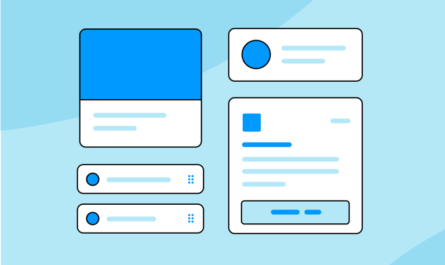
A wireframe serves as a visual blueprint of a digital product, highlighting the layout, user flow, and core functionalities without the distraction of detailed visuals. It primarily uses simple shapes and placeholder symbols—such as gray squares for images or lines for text—to keep everyone focused on the fundamental structure. Once stakeholders approve the wireframe, designers can develop high-fidelity prototypes incorporating colors, typography, imagery, and interactive elements. These prototypes enable testing and refinement before moving into development, ensuring the final product meets user needs and business goals. Moreover, optimizing your website’s loading speed and responsiveness plays a vital role in SEO success, making it essential to select tools that support designing for performance. For more, see the essential impact of website page speed on your seo success.
What makes the best wireframe tool?
How we evaluate and test apps
Our selection process involves extensive hands-on testing and expert analysis. We spend countless hours exploring each application’s features, usability, collaboration capabilities, and export options, ensuring they meet the diverse needs of designers, developers, and non-designers alike. Our reviews are independent, based solely on merit, and aim to help you find tools that foster seamless workflows and high-quality results. To understand our methodology, visit how we select apps to feature on the Zapier blog.
While some might think you need complex tools to create wireframes, simple flowchart apps can suffice for basic sitemaps or structure planning. However, dedicated wireframing apps excel at refining visual elements, supporting collaboration, and preparing designs for development. Key features to look for include:
- Collaboration options: Essential for teams working remotely or across departments, enabling real-time feedback and co-editing.
- UI component libraries: Pre-made elements like buttons, input fields, and toggles speed up the initial sketching process.
- Export and developer hand-off: Export options such as HTML/CSS facilitate smooth transition from design to development.
- Cross-platform compatibility: Ensures teams on different operating systems can collaborate without hiccups.
- Ease of use and speed: Since wireframes are meant to be quick, intuitive tools that minimize learning curves are preferable.
Even with extensive experience, I tested over 40 apps to identify the top six, evaluating how well each balances simplicity, collaboration, and export features. For a quick overview of key design terms, check out essential elements of web design building a cohesive and effective online presence.
The best wireframe tools at a glance
| Tool | Highlights | Pricing |
|—|—|—|
| Figma | Cloud-based, real-time collaboration, large community | Free plan; paid from $16/user/month |
| Moqups | User-friendly interface, suitable for beginners | Free for 2 projects; paid from $9/month |
| Balsamiq | Simplified, minimal interface, no account required | 30-day free trial; from $12/month |
| UXPin | Code-integrated design, high-fidelity prototyping | Free for 2 prototypes; from $6/editor/month |
| Justinmind | Interactive prototypes, realistic testing | Free for one project; from $9/editor/month |
| Visily | AI-powered wireframing, intuitive ideation | Free for 100 AI credits; paid from $11/editor/month |
Best free wireframe tool for collaboration
Figma (Web, macOS, Windows, iOS, Android)

Figma’s advantages include:
– Generous free plan suitable for small teams and individual projects
– An integrated whiteboard for brainstorming and flowcharting
– Seamless collaboration features enabling multiple users to work simultaneously
– Extensive library of free UI components and icons, supported by an active community
Limitations:
– Advanced features, such as complex prototyping, may have a learning curve
Figma has rapidly become the industry standard for digital design and wireframing. Its web-based architecture and real-time collaboration make it ideal for teams of all sizes, including non-designers. You can start your project in FigJam, a dedicated whiteboard tool that simplifies storyboarding and flowchart creation, before moving into Figma’s more detailed design environment. It offers device-specific frames for desktops, tablets, and smartphones—saving you time from having to look up screen sizes. Collaboration is enhanced through features like comments, annotations, and team libraries that enable consistent updates across multiple files. For more insights on aligning your design efforts with SEO best practices, consider reading how to synchronize web design with search engine optimization.
Figma price: Free for unlimited drafts, three projects, and shared libraries; paid plans start at $16 per user monthly.
Best wireframe tool for beginners
Moqups (Web)

Advantages:
– Simple, intuitive interface designed for newcomers
– Wide array of templates for wireframes, flowcharts, and business models
– Collaborative features for easy sharing and feedback
Drawbacks:
– No offline access; requires internet connection
– Export options limited to PNG, PDF, and HTML (no SVG export)
Moqups is ideal for those new to design who want to produce clear wireframes quickly. Its template library accelerates the process, especially for non-designers. The interface, while straightforward, can feel overwhelming initially—particularly when managing multiple layers or components. However, the built-in stencils provide pre-designed UI elements like buttons and forms, reducing the need for manual creation. While it lacks advanced editing tools, it suffices for basic wireframing and prototyping. For more detailed design work, you might consider moving into more robust tools like Figma. To improve your website’s search rankings, explore the impact of site speed on SEO.
Moqups pricing: Free for up to two projects; paid from $9/month for single users, $15/month for teams.
Best wireframe app for non-designers
Balsamiq (Web)

Strengths:
– Extremely minimal, user-friendly interface
– Pre-made UI components for rapid sketching
– No account required to start designing
Limitations:
– Lacks customization options for design elements
– Limited prototyping capabilities
Balsamiq excels at quick, low-fidelity sketches, making it perfect for non-designers or anyone needing to communicate ideas visually without fuss. Its drag-and-drop interface and library of familiar UI elements enable rapid prototyping with minimal learning curve. While it offers basic presentation modes, its prototyping features are limited, requiring separate tools for advanced interactions. Export options include PNG and PDF, making sharing straightforward. For further tips on web design essentials, visit building a cohesive and effective online presence.
Pricing: Free 30-day trial; then from $12/month for the Business plan, supporting up to two projects and unlimited users.
Best wireframe tool for code-based designs
UXPin (Web, macOS, Windows)

Advantages:
– Supports high-fidelity, responsive wireframes
– Enables import of design files and code
– Facilitates seamless developer hand-offs with detailed specifications
Limitations:
– Interface can be less intuitive for beginners
– UI kits are somewhat limited
UXPin bridges the gap between design and development by allowing designers to incorporate actual code components, making prototypes more accurate and easier to implement. Its Merge feature enables synchronization with code repositories like Git, Storybook, and npm, allowing teams to “design with code.” This streamlines the transition from wireframe to final product, reducing rework and miscommunication. For teams focused on rapid iteration and precise implementation, UXPin offers a compelling solution. For more on optimizing your web presence, explore the elements necessary for building a cohesive online brand.
Pricing: Free for two prototypes; paid from $6/editor/month with 20 prototypes and collaboration features.
Best wireframe tool for interactive prototypes
Justinmind (macOS, Windows)

Pros:
– Rich library of interactive components
– Supports detailed, realistic prototypes for user testing
– User-friendly, with an intuitive interface
Cons:
– No web-based version; requires download
– Can lag with complex files
– Limited free plan (one project)
Justinmind stands out for its ability to create prototypes that mimic real user interactions, including form inputs, dropdowns, and hover states. Its library of interactive elements simplifies the process of building engaging prototypes that can be tested on mobile devices or shared with stakeholders. Although it’s not cloud-based, its focus on detailed interactivity makes it a favorite for UX professionals aiming for high-fidelity testing. To learn more about optimizing your website for search engines, check out the impact of site speed on SEO success.
Pricing: Free for basic wireframing; paid from $9/editor/month for advanced features.
Best wireframe tool for AI-assisted ideation
Visily (Web)

Advantages:
– Rapid generation of wireframes from text prompts
– Intuitive interface suitable for quick brainstorming
– Allows importing screenshots and converting them into editable wireframes
– Export designs directly into Figma for further refinement
Limitations:
– Manual customization options are limited
– AI-generated designs tend to be basic
Visily leverages AI to speed up the wireframing process, making it especially useful during early ideation phases. Its ability to produce relevant screens from simple prompts helps teams visualize ideas quickly. While the generated designs are somewhat basic, they serve as excellent starting points that can then be refined in more comprehensive design tools. For those interested in the impact of website performance on SEO, see how page speed influences your search rankings.
Pricing: Free for 100 AI credits and two editable boards; paid plans start at $11/editor/month for expanded credits, unlimited boards, and Figma export.
Which wireframe app should I use?
Selecting the right wireframing tool depends on your specific needs, team size, and project scope. While Figma and UXPin are prominent options, your choice should be guided by your workflow preferences. Consider whether you need real-time collaboration, high-fidelity prototypes, or AI-assisted ideation. Smaller teams or individual designers might prefer all-in-one solutions like Figma, while larger teams focusing on detailed prototypes may lean toward UXPin. You can also combine tools—starting with Balsamiq for quick sketches, then switching to Figma for polished designs. Remember, aligning your design process with the principles of effective web development, including fast loading times and user-centric layouts, enhances your project’s overall success. For detailed guidance, visit elements of effective web design.
Glossary of terms
Vector graphic: Images created with points, lines, and curves based on mathematical formulas, allowing infinite scaling without loss of quality. Commonly used for icons and logos.
Raster (pixel) graphic: Images composed of tiny pixels; enlarging them causes blurriness. Photographs are typical examples.
UI components: Pre-designed elements like buttons, checkboxes, and menus that streamline the design process.
Artboard: A working canvas within a design app, representing different screens or pages.
Mockup: A visually complete version of a design, including colors and images, used for presentation.
Prototype: An interactive simulation of a product, allowing users to click through and test functionality prior to development.
Low-fidelity: Basic, unpolished representations like wireframes.
High-fidelity: Detailed, realistic designs close to the final product.
UI: User Interface—how the product looks and feels to users.
UX: User Experience—how users interact with and navigate the product.
Designing effective wireframes is just one part of creating a successful digital product. Combining these tools with best practices in web development and SEO ensures your project is both visually compelling and highly discoverable.