The world of web design relies heavily on color consistency to create visually appealing and professional websites. Yet, due to differences in how various monitors and browsers display colors, achieving uniformity can be challenging. This article explores the concept of web safe colors—an essential tool for designers aiming for consistent color reproduction across all devices and platforms.
Long before high-resolution screens became standard, early internet users faced limitations with displays that could only render a limited palette of colors. Most computers at the time supported 8-bit color displays, capable of showing just 256 colors. Of these, 40 were reserved for system use, leaving 216 colors to be used for web pages. This constrained palette was crucial because not all colors appeared the same on every computer, leading to inconsistent visual experiences. As technology advanced, most modern systems now support millions of colors, with 16.7 million colors (24-bit color) being standard for high-quality displays. Nonetheless, approximately 10% of computers still operate within the 8-bit color range, making web safe colors relevant even today.
What Are Web Safe Colors?
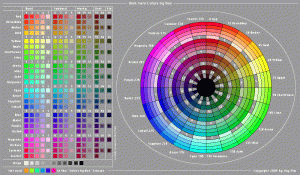
Web safe, also known as browser safe palettes, consist of 216 specific colors carefully chosen to display consistently across any device capable of 8-bit color (256 colors). These colors are non-dithered and produce solid, uniform hues, avoiding the color inconsistencies that can occur with other palettes. The reason this set contains only 216 colors instead of the full 256 is that only these particular shades display identically on all older or limited systems. The remaining 40 colors are often used for system or interface purposes and may not render consistently.
The foundation of these colors lies in the RGB (Red, Green, Blue) color model, which combines values from 0 to 255 for each component, theoretically creating over 16 million possible colors (256 x 256 x 256). However, when designing for maximum compatibility, only the combinations where each RGB component is set to values in multiples of 51 (such as 0, 51, 102, etc.) are used. This restriction ensures that color displays remain consistent across various monitors and browsers.
Most modern screens can display at least 16,384 colors, making the importance of web safe colors more about ensuring uniformity rather than necessity. When you open a document created on one platform on another—say, a Windows user opening a Mac-created file—you might notice odd characters or mismatched colors. This occurs because different operating systems interpret extended characters and colors differently. Web safe colors serve as a reliable standard to prevent such discrepancies, ensuring your website’s appearance remains consistent regardless of user hardware.
Color Models and Their Role in Web Design
RGB Model
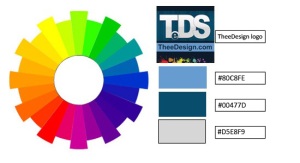
The RGB (Red-Green-Blue) model is additive, meaning that colors are created by combining light in varying intensities. For web design, RGB is the most common color specification system. With the widespread use of 24-bit displays, users can view up to 16.7 million colors through hexadecimal codes like #FFFFFF for white or #000000 for black. The web-safe palette utilizes specific RGB combinations, such as #336699 or #003366, representing the 216 safe colors.
When creating web graphics, working in RGB mode is essential. It helps prevent dithering—a technique that simulates unavailable colors by blending available ones—and ensures colors display accurately across different browsers and devices. To deepen your understanding of building a professional web presence, consider exploring ways to establish a web design business in 14 practical steps, which emphasizes foundational skills for developers and designers alike.
CMYK Model
In contrast, the CMYK (Cyan, Magenta, Yellow, Key/Black) model is used primarily for printing. It relies on subtractive color mixing, where tiny dots of ink combine to produce a full spectrum of colors through a process called half-toning. This technique assigns saturation levels to each color, creating the illusion of a broad color range when printed. To improve print quality and avoid moiré patterns—undesirable visual effects—each color is printed at a different angle, ensuring clarity and vibrancy.
The Pantone color matching system, marked by the registered trademark ®, is widely used as an industry standard for spot color printing in North America and Europe. It guarantees color consistency across various print jobs and materials, which is vital for branding and marketing materials.
Conclusion
Understanding web safe colors and the underlying color models is fundamental for creating consistent, visually appealing websites that look the same across all devices and browsers. Working within the RGB color space and selecting web-safe palettes can significantly reduce color discrepancies, ensuring your designs remain professional and uniform. For those interested in expanding their web development skills, resources are available to guide you through the process, from writing effective website RFPs to mastering the technical aspects of building and maintaining your online presence.