Implementing effective navigation within your website is crucial for enhancing user experience, boosting SEO, and guiding visitors seamlessly through your content. One of the most versatile tools for achieving this is anchor links. These links allow users to jump directly to specific sections of a page, saving time and reducing frustration. Whether you’re building a single-page layout or enriching a lengthy article, understanding how to create and utilize anchor links can significantly elevate your website’s functionality and engagement.
In this comprehensive guide, we will explore what anchor links are, how to create them across various platforms, and when their use is most beneficial. Additionally, you’ll learn practical tips on integrating anchor links into your design strategy, ensuring a smooth and intuitive experience for your visitors.
What Are Anchor Links?
At their core, anchor links are hyperlinks that connect to specific parts of a webpage. They work by attaching a unique identifier—commonly called an “anchor”—to an element within your page. When a user clicks on such a link, their browser scrolls directly to that designated section, bypassing the need to manually scroll through the entire page.
From a broader perspective, collections of anchor links serve as interactive tables of contents, enabling users to navigate complex or lengthy content efficiently—much like clicking on chapter titles in an e-book. This not only improves usability but also contributes positively to your site’s SEO by clearly outlining the structure and hierarchy of your content. Search engines like Google analyze these link structures to better understand your pages, which can influence your rankings.
To learn more about optimizing your website’s development, including how tailored solutions can benefit your online presence, visit this resource.
How to Create Anchor Links
Creating anchor links involves two main components: assigning a unique identifier to an element and linking to that identifier with a URL fragment. This process is straightforward but requires attention to detail to ensure smooth functionality.
Basic Method
- Assign an ID to the target element:
In HTML, this is done by adding anidattribute to the element you want to link to. For example:
“`html
Section 1
“`
- Create a link pointing to that ID:
The link should include a hash symbol (#) followed by the ID value:
html

   <a href="#section1">Go to Section 1</a>
Clicking this link will smoothly scroll the page to the element with id="section1". This technique can be applied to any element—paragraphs, headers, images, or containers.
Creating Anchor Links in WordPress
For WordPress users, adding anchor links can be accomplished without coding by utilizing the platform’s editor tools.
- In the Classic Editor with TinyMCE:
- Switch to Text mode.
- Locate the desired content block.
- Add an
idattribute to the element, such as<h2 id="about-us">About Us</h2>. -
To link to this anchor, select the link text, click ‘Insert/edit link’, and add
#about-usas the URL. -
In the Gutenberg Editor:
- Select the block to anchor.
- In the block settings, find the “Advanced” section.
- Enter a unique anchor name in the “HTML Anchor” field.
- Create links to this anchor by adding
#your-anchor-namein your menu or content.
To enhance navigation, especially for longer pages, you can also add anchors to menu items via the Appearance > Menus section, inserting URLs like http://yourdomain.com/page#section.
Creating Anchor Links with Visual Composer
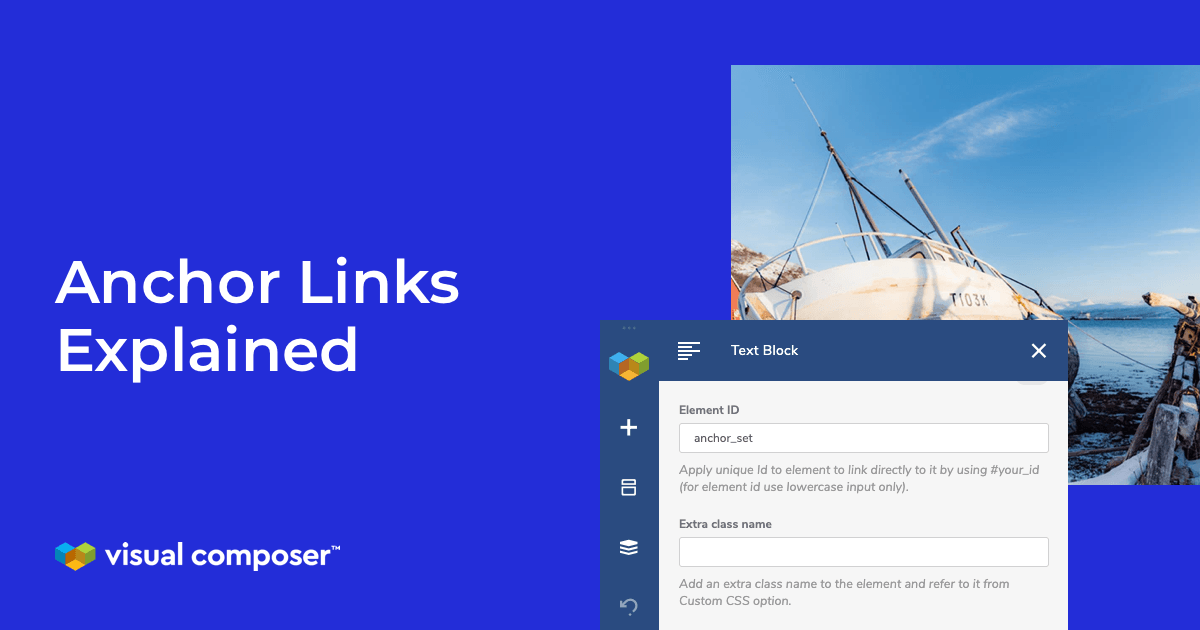
Visual Composer simplifies anchor creation by allowing you to assign element IDs directly:
- Choose the element or section you want to link to.
- Open its edit settings.
- Enter a unique “Element ID” (no spaces).
- Save changes.
- To link to this section, add a URL with the format
#your-element-idin your menu, button, or text link.
This approach ensures your layout remains organized and your navigation intuitive.
When to Use Anchor Links
Strategic implementation of anchor links can greatly improve your website’s usability. Consider these scenarios:
Table of Contents
For lengthy articles or documentation, a clickable table of contents enables visitors to jump directly to sections of interest. This not only improves user engagement but also assists search engines in understanding your content structure. Including a well-organized table of contents is especially effective on resource-heavy pages.
Call to Action (CTA)
Using anchor links to direct visitors towards key actions—such as signing up for a newsletter, filling out a contact form, or viewing a pricing table—can streamline conversions. For example, a CTA button at the top of a page might link directly to a registration form at the bottom, ensuring users don’t have to scroll manually. Incorporating such links is a common practice to guide visitors through your sales funnel efficiently.
Landing Pages and One-Page Sites
Single-page websites often contain multiple sections like features, testimonials, pricing, and contact forms. Creating navigation menus with anchor links makes it easy for visitors to explore these sections without excessive scrolling. This approach enhances user experience and keeps visitors engaged longer.
Scroll-to-Top Links
On long pages, providing a “Back to Top” anchor link allows users to return quickly to the beginning. Such features are popular in e-commerce and content-heavy websites, improving overall usability and encouraging visitors to explore more of your offerings.
Conclusion
Mastering the use of anchor links can be a game-changer for your website’s navigation, SEO, and conversion rates. They are simple to implement yet powerful enough to facilitate a more engaging and user-friendly experience. When planning your site structure, think about where anchor links can help your visitors find information faster or guide them toward desired actions.
Incorporating well-placed anchor links not only benefits your users but also helps search engines better index your content. To dive deeper into creating custom websites that cater specifically to your business needs, consider exploring strategies for tailored web development. For detailed guidance on what components to include in your web design projects, visit this resource. Additionally, designing websites that offer unique digital experiences can be achieved by applying principles from this essential guide to bespoke web design.
Are there other creative ways you’ve used anchor links on your website? Share your insights in the comments.