Understanding how your website is organized is crucial for both user experience and search engine performance. While the concept of website taxonomy might seem complex at first glance, it fundamentally involves structuring your web content logically and efficiently. Properly implemented, a solid taxonomy helps visitors find what they need quickly, improves your site’s visibility, and supports your overall digital strategy. This guide explores the core principles of website taxonomy, the various types you can choose from, and actionable tips for designing an optimal structure tailored to your needs.
What Is Website Taxonomy?
At its core, website or URL taxonomy refers to the systematic organization of your site’s web assets and content. It provides a framework that guides how pages, categories, and subcategories are arranged and interconnected. Think of it as the blueprint of your website’s content architecture.
Imagine visiting a recipe website searching for a quick dinner idea. The homepage might categorize recipes by main ingredients such as chicken, seafood, or vegetables. Hovering over each category reveals more specific options like soups, stir-fries, or baked dishes. This logical arrangement not only simplifies navigation but also ensures that related content is grouped cohesively. As a result, users experience a seamless journey through your site, making it easier for them to locate relevant information.
Without a well-structured taxonomy, websites risk becoming cluttered and confusing, which can frustrate visitors and hinder search engine indexing. A logical, organized taxonomy enhances user satisfaction and boosts your site’s discoverability—crucial for building brand authority and increasing engagement.
Benefits of Implementing a Website Taxonomy
A thoughtfully designed taxonomy offers multiple advantages, benefiting both your audience and your brand’s online presence.
1. Enhances User Experience
A clear taxonomy acts as a navigational map, guiding visitors effortlessly through your website. It ensures that content is logically grouped, reducing confusion and making it easier for users to find what they’re looking for. When users can easily access relevant pages, they tend to stay longer, explore more, and are more likely to complete desired actions such as making a purchase or subscribing to a newsletter.
2. Boosts Search Engine Optimization (SEO)
Search engines like Google utilize crawlers to index web content. A well-structured taxonomy helps these crawlers understand your site’s hierarchy and content relationships, making it easier for your pages to appear prominently in search results. Proper organization also facilitates the inclusion of relevant keywords in URLs, headings, and metadata, further improving your visibility. For instance, a site with a clear taxonomy can rank higher for targeted queries, attracting more organic traffic.
3. Prevents Duplicate Content and Confusion
An organized taxonomy minimizes the risk of duplicate content by clearly defining where and how content is categorized. This clarity helps search engines recognize unique pages and reduces indexing issues. Additionally, it streamlines content management, making updates and additions more straightforward, and ensures that your site maintains a consistent structure over time.
Types of Website Taxonomy
Different website structures serve different needs. Here are the primary types you can consider:
Hierarchical Taxonomy
This is the most common and straightforward approach. Content is arranged like a tree, starting from broad categories and branching into more specific subcategories. It’s ideal for sites with a clear content hierarchy, such as news portals or large e-commerce platforms.
Example: A news website might have main categories like World, Business, Sports, and Entertainment. Each of these branches into subcategories, such as “Football,” “Basketball,” or “Tennis” under Sports.
Illustration:

Source: Taza Chocolate’s website employs a hierarchical taxonomy, organizing content from broad to specific.
Faceted Taxonomy
This type allows users to filter content based on multiple attributes or facets, such as size, color, or price. It’s particularly popular in e-commerce, as it enables customers to narrow down options efficiently.
Example: Shopping for shoes online, you might filter by size, color, and style, which dynamically updates the product list without navigating through multiple pages.
Illustration:
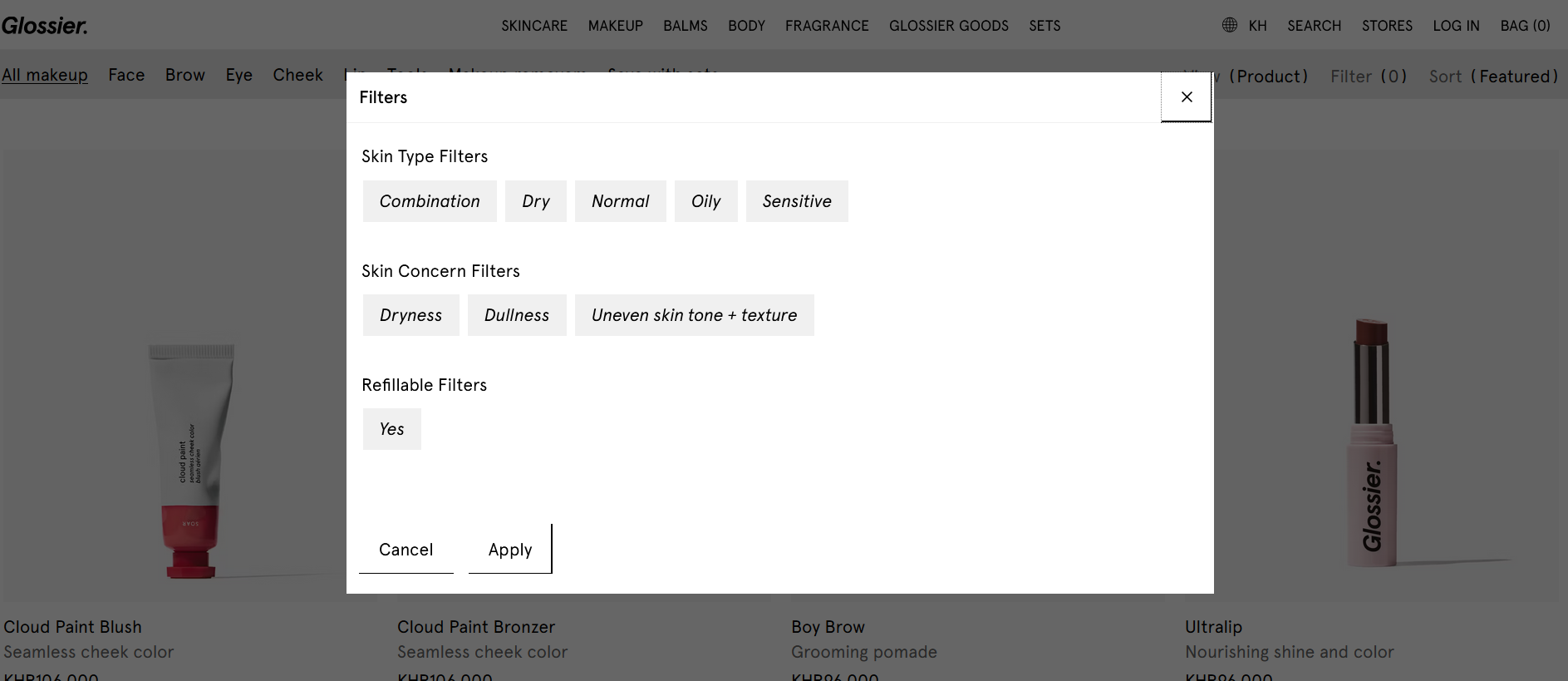
Source: Glossier uses filtering options to help customers find products suited to their skin type and concerns.
Flat Taxonomy
This simpler structure features fewer levels, emphasizing broad categories with direct links to content pages. It’s suitable for small or straightforward websites that do not require complex navigation.
Example: A personal portfolio site with sections like About, Portfolio, Services, and Contact, each leading directly to dedicated pages.
Illustration:

Source: Aileen’s portfolio website employs a flat taxonomy for simplicity and ease of use.
Network Taxonomy
This approach emphasizes the relationships between categories based on relevance rather than hierarchy. It showcases interconnected content, encouraging exploration and cross-linking.
Example: A restaurant site with menus for breakfast, lunch, and dinner, but also featuring recommended pairings or popular dishes across categories.
Illustration:
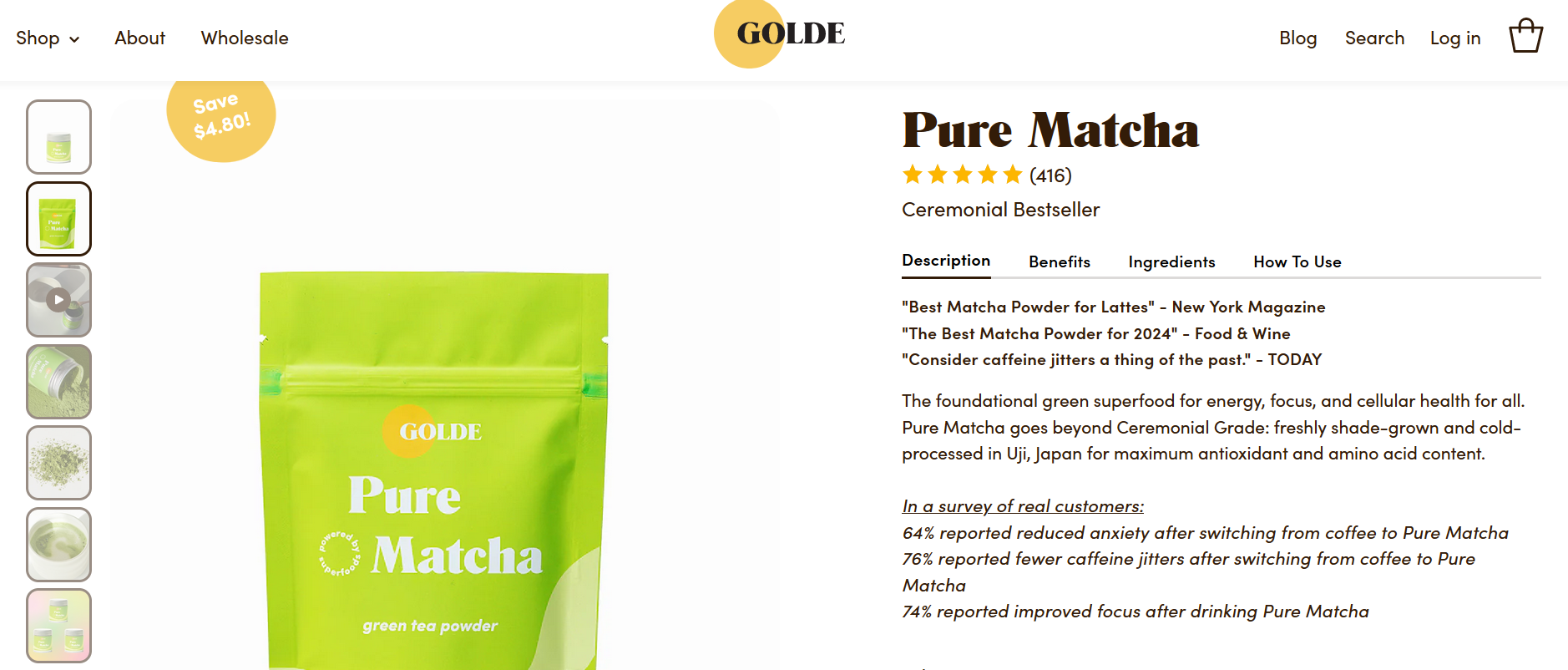
Source: Golde’s site suggests related products and reviews, illustrating a networked approach to content organization.
How to Choose the Right Taxonomy for Your Website
Selecting the suitable structure depends on your audience, content volume, and business goals.
Audience Analysis
Understanding your target visitors’ preferences is key. For digital natives or tech-savvy users, a dynamic, filter-based approach might work best. For older audiences, a simple, straightforward layout with large buttons and minimal layers could be more effective.
Ask yourself:
– How familiar is your audience with your industry or content?
– What are their main needs and expectations?
– How do they prefer to navigate information?
Clarify Your Website Goals
Your objectives influence the taxonomy design. If your goal is to improve user engagement, focus on intuitive navigation. For increasing search rankings, prioritize SEO-friendly URL structures and clear categorization. If conversions are your aim, ensure categories guide users towards actions like purchases or sign-ups.
Content Volume and Complexity
Large websites with extensive content benefit from hierarchical or faceted structures, which help organize numerous pages efficiently. Smaller sites may opt for flat taxonomies to keep navigation simple and accessible.
Best Practices for Creating Effective Website Taxonomies
Implementing a successful taxonomy involves strategic planning and ongoing refinement.
Involve Multiple Stakeholders
Engage team members from content, design, and development to gather diverse perspectives. Their insights can improve usability and ensure alignment with business objectives.
Gather User Feedback
Regularly collect input from actual users to identify pain points and opportunities for improvement. Tools like surveys or analytics can reveal how visitors interact with your site’s structure.
Conduct Usability Testing
Test your taxonomy with real users to uncover navigational issues or confusing categories. This process helps validate your design choices before full deployment.
Keep Evolving
Stay responsive to changing user behaviors and content needs. Continuously update your taxonomy to maintain relevance and optimize your site for both visitors and search engines.
Building Your Website Taxonomy in Five Steps
1. Define Your Scope and Objectives
Start by identifying what your website aims to achieve and who your audience is. This clarity guides your categorization efforts.
2. Conduct Keyword Research
Use tools like Ahrefs to find relevant keywords with high search volume and low competition. Incorporate these into your taxonomy to enhance discoverability.
3. Categorize Content
Identify main topics and subtopics. Group related content logically, considering how users might search for or navigate these areas.
4. Cluster and Link Content
Assign keywords to related pages, creating clusters of related content. This approach improves content discoverability and encourages deeper site exploration.
5. Test and Refine
Regularly review your taxonomy’s effectiveness through analytics and user feedback. Adjust categories, labels, or structure as needed to improve performance.
Implementing Your Taxonomy Effectively
Once developed, a well-structured taxonomy must be integrated thoughtfully. Consider SEO best practices to ensure search engines can crawl and index your content efficiently. Incorporate descriptive metadata, such as alt text for images and relevant keywords, to optimize content visibility.
Plan for scalability by designing your taxonomy to accommodate future growth without requiring major restructuring. This foresight helps maintain a consistent user experience and preserves your SEO efforts over time.
A robust website taxonomy is a cornerstone of a successful online presence. It enhances navigation, improves search engine rankings, and creates a more engaging experience for visitors. By understanding the different structures and applying best practices, you can craft a logical, flexible framework that supports your business goals now and into the future.