Effective typography is a cornerstone of compelling app design. Far beyond mere font choices, it influences how users perceive, navigate, and connect with your digital product. Well-crafted typography fosters clarity, builds trust, and reinforces your brand’s personality—all essential for creating memorable user experiences. As the digital landscape becomes increasingly competitive, understanding the nuances of typographic design can give your app a significant edge.
From establishing visual hierarchy to ensuring accessibility, typography shapes how users interact with your content. It guides their journey through your app, influences emotional responses, and helps convey your brand’s voice consistently across platforms. In this article, we explore how strategic typography choices impact UX and branding, supported by best practices and real-world examples.
Why Typography Matters in App Design
Typography extends beyond selecting a stylish font; it is a vital element that affects usability and perception. The right typeface can make your app look sleek, modern, and trustworthy, encouraging users to engage more deeply. Conversely, inappropriate fonts can cause confusion, reduce readability, and diminish brand credibility.
As screens become smaller and user expectations rise, typography plays an increasingly critical role. It helps users locate information swiftly, read comfortably, and develop a sense of familiarity with your app. The global font market is projected to reach $1.47 billion by 2029, illustrating how integral type is to business success—not just aesthetics but tangible outcomes.
Our team at Arounda crafted this guide to demonstrate how your typography decisions can elevate your UX and reinforce your overall brand identity.
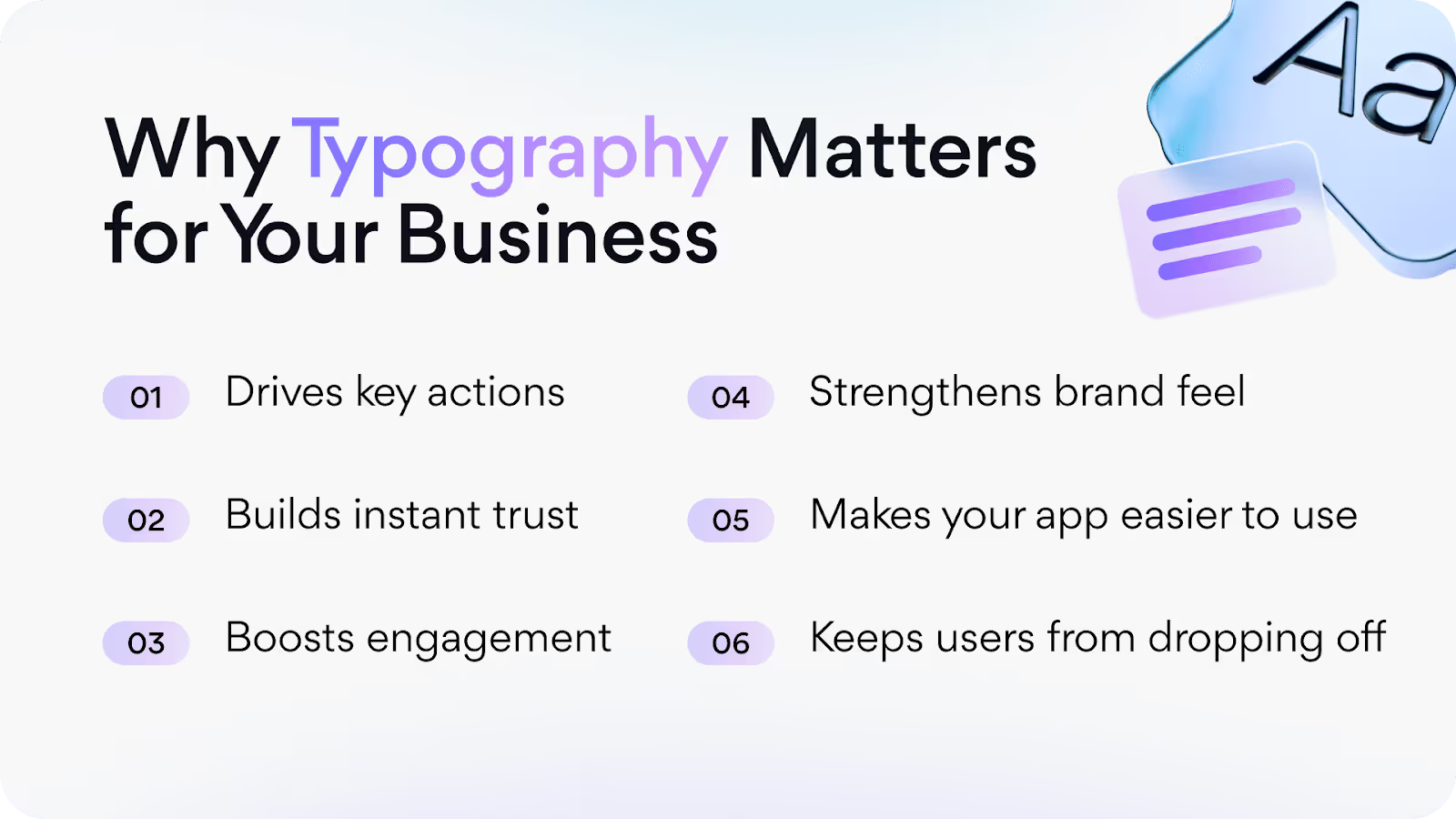
The Multifaceted Role of Typography
Typography in web and app design influences much more than visual appeal. It establishes mood, tone, and personality—acting as a silent ambassador for your brand. For instance, geometric sans-serif fonts like Montserrat or Inter project a modern, efficient vibe, ideal for startups or tech platforms. On the other hand, serif fonts such as Merriweather evoke trust and tradition, suitable for banking or legal services.
Furthermore, typography affects user engagement by shaping perceptions of your product’s professionalism and credibility. When applied thoughtfully, it can reinforce your branding message and foster emotional connections, making your app not just usable but also memorable.
If you’re considering a comprehensive overhaul of your digital presence, exploring how custom web design can create unique experiences is worthwhile. Visit this resource to learn more about building tailored digital environments that resonate with your audience.
Understanding Typography in UX
Typography is fundamental to user experience. It directly impacts readability, navigation, and accessibility, influencing whether users stay engaged or abandon your app.
Readability and Scannability
Clear, legible typography enables users to absorb content quickly and effortlessly. Proper font choices, sizes, spacing, and line lengths facilitate scanning—especially on mobile devices where screen space is limited. Users tend to skim content rather than read every word; thus, designing with short headings, bullet points, and ample whitespace is essential. When typography supports quick comprehension, users find what they need faster and are more likely to return.
Guiding User Flow and Reducing Cognitive Load
Organized typography creates visual cues that direct attention and facilitate decision-making. Distinct styles for headings, buttons, and body text help users identify clickable elements and understand content hierarchy intuitively. This reduces cognitive overload, making interactions feel natural and effortless. Conversely, inconsistent or cluttered typography can confuse users, hindering navigation and increasing frustration.
Accessibility Matters
Accessible typography ensures everyone can use your app effectively, including individuals with visual or cognitive impairments. Best practices include maintaining high contrast between text and backgrounds, allowing users to resize fonts easily, and avoiding overly decorative fonts that impair legibility. A clean, sans-serif typeface with generous spacing and contrast enhances overall usability. For more insights on creating accessible digital experiences, see this authoritative guide.
Emotional and Perceived Usability Impact
Typography evokes emotions and influences perceptions. A sleek, professional font suggests reliability, while playful, whimsical fonts can convey fun and approachability. These emotional cues shape user trust and engagement, ultimately affecting brand loyalty. Well-chosen typography supports not only usability but also reinforces your brand’s personality across all touchpoints.
Typography as a Brand Expression Tool
Brand consistency is crucial; it can boost revenue by up to 23%. Typography is a powerful instrument in establishing a recognizable visual language that reflects your brand’s core values. It shapes perceptions and influences how consumers remember and relate to your business.
Crafting a Unique Brand Voice
Typography signals your brand’s personality instantly. A geometric sans-serif like Inter can communicate innovation and efficiency, while a serif like Playfair Display might evoke elegance and tradition. Monospaced fonts, often associated with technology, suggest precision and sophistication.
At Arounda, we recommend starting by identifying your brand’s personality—whether confident, friendly, or disruptive—and selecting fonts that embody those traits. Limiting yourself to one or two primary typefaces ensures consistency and clarity across all platforms.
Ensuring Cross-Platform Consistency
Inconsistent typography can undermine your brand’s professionalism. Consistency across your website, mobile app, social media, and marketing materials fosters trust and recognition. Establishing a comprehensive typography system—including font sizes, weights, and spacing—helps maintain uniformity. Use this system everywhere to create a seamless user experience that strengthens your brand identity.
Visual Identity and User Perception
Visual impressions are often based more on typography than logos, as users encounter text continuously. When well-designed, typography enhances the perceived quality and credibility of your brand. Conversely, mismatched styles or poor hierarchy can create friction and diminish trust.
For example, in redesigning a WordPress admin dashboard, we emphasized clear, modern typography to improve readability and navigability, resulting in a more polished and professional interface. Learn more about how visual identity impacts branding here.
Best Practices for Mobile Typography
Designing for mobile demands adaptability. Small screens require careful font sizing, spacing, and layout choices to ensure readability and usability.
Optimal Font Sizes
Use at least 16 pixels for body text on mobile to prevent zooming and ensure clarity. Headings should be proportionally larger—ranging from 24 to 48 pixels—based on hierarchy. Employ responsive techniques, such as fluid typography with relative units like “em” or “rem,” to adapt seamlessly to different devices and orientations.
Our work with projects like Javes demonstrates how responsive typography maintains clarity across devices. The desktop version features spacious layouts, while mobile versions are adjusted with smaller, optimized font sizes and spacing, providing a consistent experience.
Hierarchy and Visual Flow
Establish clear typographic hierarchy by varying font sizes, weights, and colors. Use larger, bolder fonts for primary headings; smaller, lighter fonts for secondary information. This guides users effortlessly through content, enhancing readability and engagement.
Whitespace and Padding
Ample whitespace around text improves legibility and reduces visual clutter. Proper padding between lines and around blocks directs focus and makes content more inviting. When working with UI elements, generous spacing ensures your app looks open and approachable.
Responsive and Scalable Typography Techniques
Implement fluid typography that scales based on screen size, ensuring readability across devices. Testing in both portrait and landscape modes helps optimize font sizes and layout. This approach creates a cohesive experience that feels natural on any device.
For instance, our design for Enzyme applied fluid typography principles, balancing large headlines with balanced line lengths on desktops, and scaled-down fonts with appropriate spacing on mobile.
Creating Harmonious Font Pairings
Combining fonts requires contrast yet harmony. Pair a strong heading font with a complementary body font, avoiding styles that clash or seem inconsistent.
Limit your palette to two or three fonts, and define their roles clearly. For example, pairing Sora for bold headlines with Poppins for body text offers a modern, balanced look. Consistent pairings improve readability and create a polished visual language.
Interested in refining your typography? We help brands develop scalable systems that support usability and brand expression—learn more about our approach here.
Real-World Examples of Typography in App Design
Examining successful apps reveals how typography can reinforce trust, guide users, and embody brand personality.
Case Study: Airbnb
Airbnb’s use of friendly, rounded typefaces like “Airbnb Cereal” fosters a welcoming atmosphere. Consistent spacing and hierarchy allow users to browse listings effortlessly, enhancing trust and comfort.
Case Study: Duolingo
Duolingo employs bold, colorful typography to support its fun, gamified brand. Large headings and high-contrast highlights make content engaging and easy to scan, catering to shorter attention spans.
Case Study: Revolut
Revolut’s minimal, modern sans-serif fonts embody its trendy fintech identity. Clear hierarchy and precise spacing simplify complex tasks like transactions, making the app approachable and efficient.
Common Mistakes to Avoid
- Overusing fonts: Stick to 2-3 fonts to maintain cohesion.
- Poor pairings: Contrasting styles should complement rather than clash.
- Ignoring hierarchy: Clear distinctions between headings, body, and UI elements are essential.
- Inadequate leading: Too tight or too loose line spacing hampers readability.
- Neglecting accessibility: Ensure high contrast, resizable text, and legible fonts for all users.
At Arounda, we specialize in creating full typography systems that support usability, brand voice, and scalability across all digital channels. Our goal is to craft designs that are not only visually appealing but also functional and inclusive.
Final Thoughts
Typography wields immense power in shaping brand perception, enhancing usability, and creating emotional resonance. When thoughtfully applied, it transforms a simple app into an engaging, trustworthy, and memorable experience. Neglecting it, however, risks undermining your entire digital presence.
If you aim to make your product look sharp, communicate clearly, and feel authentic, our team is ready to help craft a typography strategy tailored to your brand. From microcopy to visual hierarchy, we ensure every word works for your users. Reach out to us, and let’s build something bold together.